Ts.2023.2.2.30
 Updated
by Frank Pedersen Moe
Auto create timesheets with options
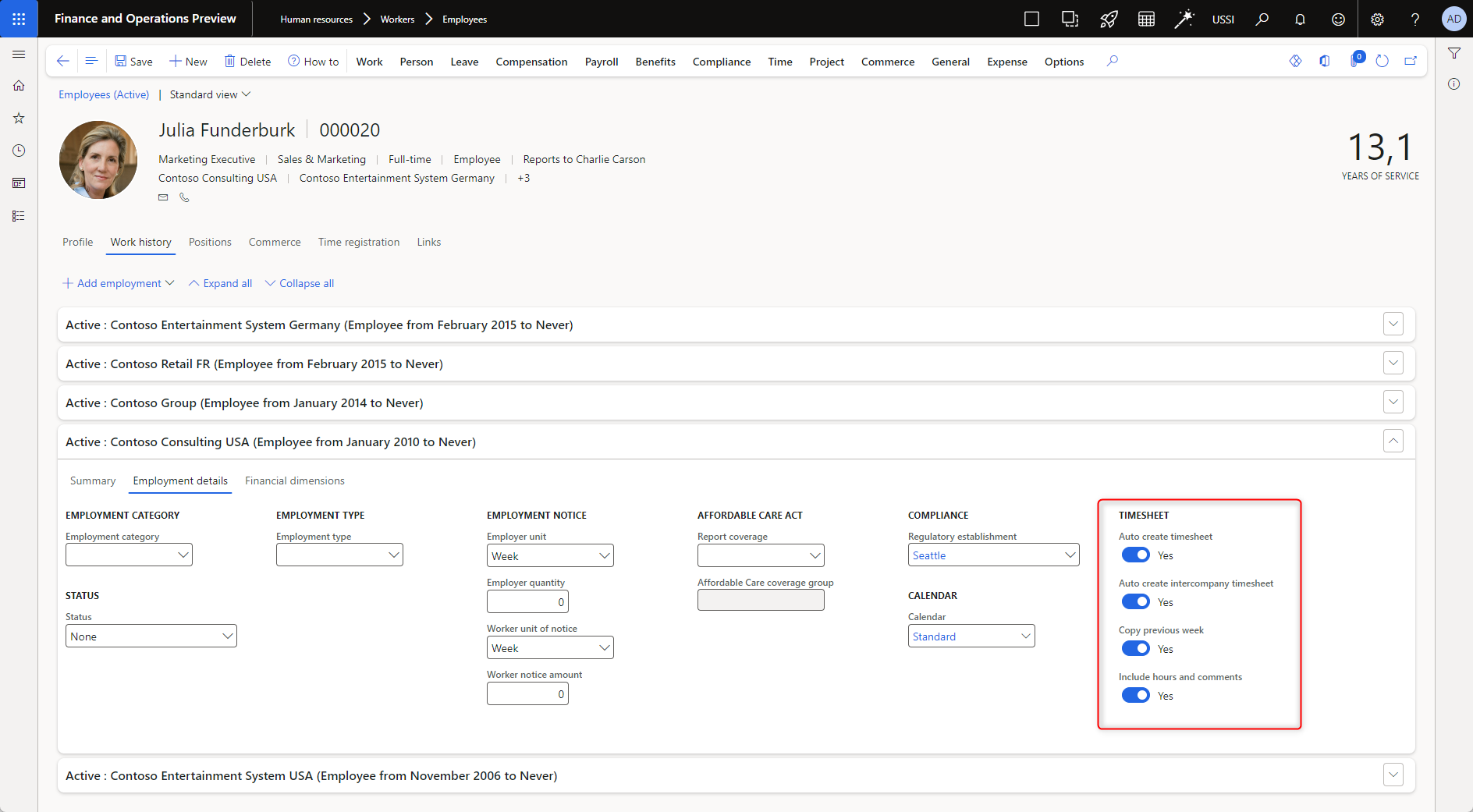
To make timesheet creation for employee easier there is now an option automatically create the timesheet.
Options is found on work history under employment details and to trigger this there is a batch job that needs to be activated
Human resources > Workers > Employees
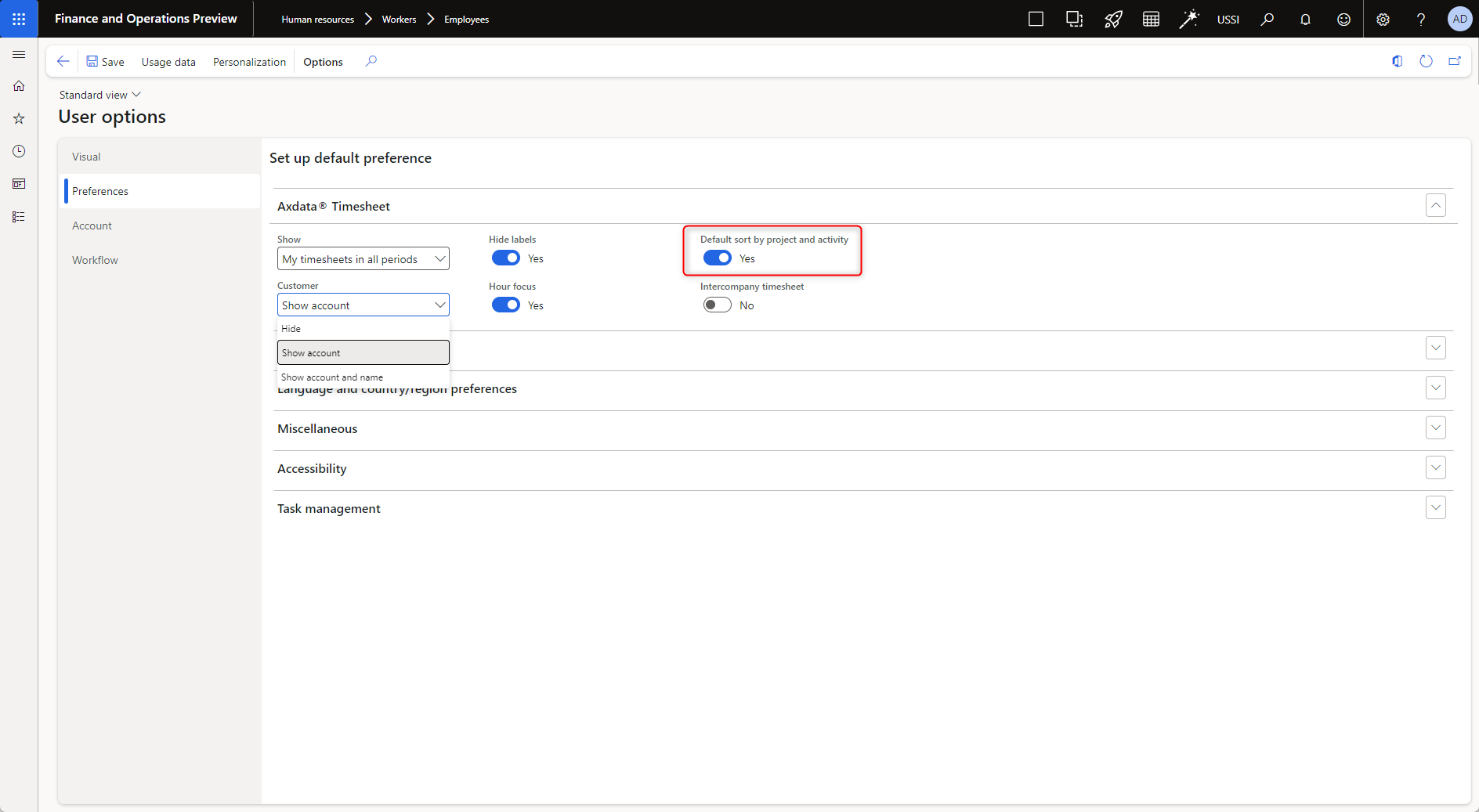
Sort by project and activity as default
There has for a while been possible to click on the button for sorting by project and activity inside the timesheet, now a new user setting allows for this to be the default option when opening a timesheet.
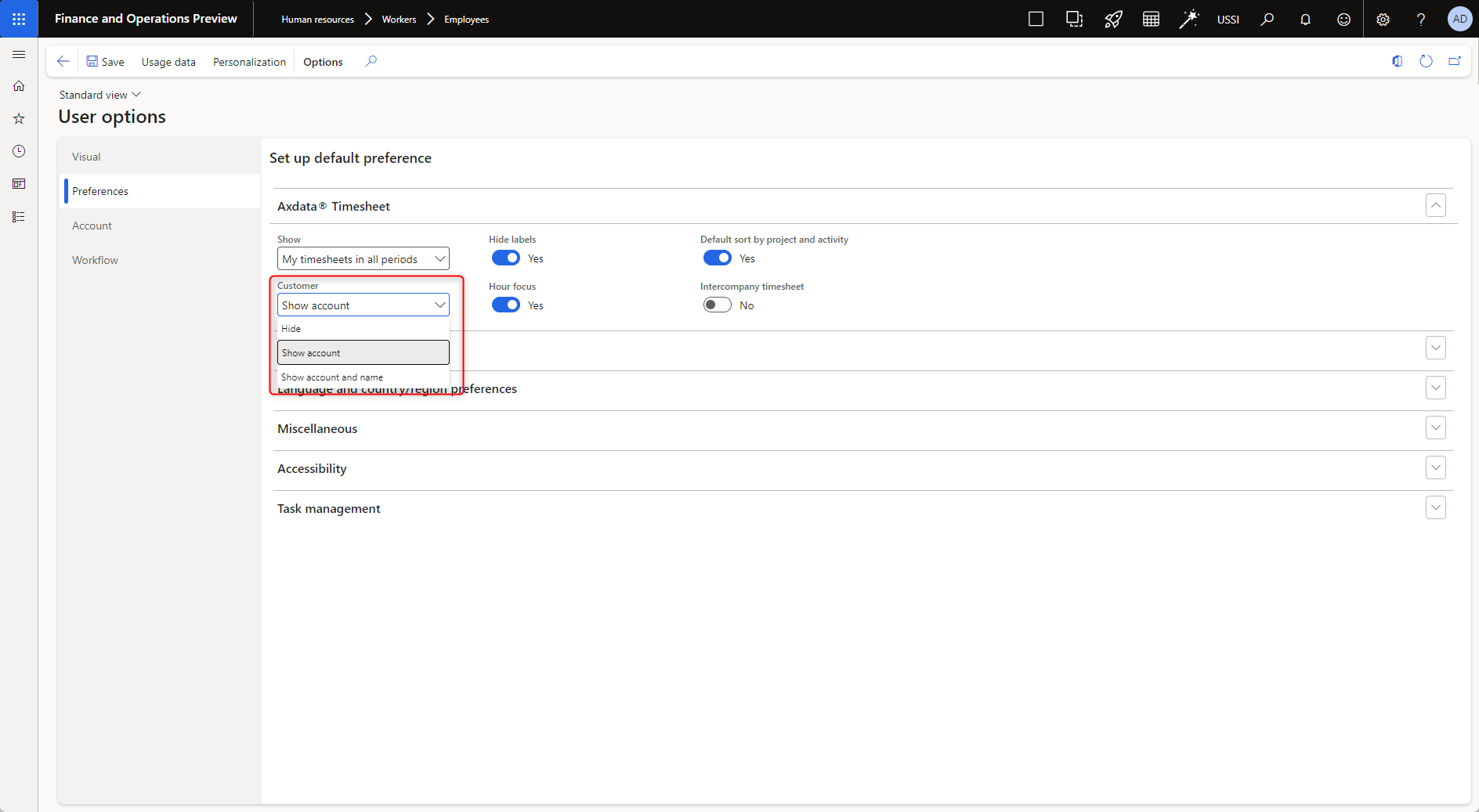
Hour focus can be customized to show customer or customer and name
Many use the customer field to search for a customer before entering the project. When Hour focus was activated, customer and customer name was hidden. A new user option is now available for the user to specify the detail level for the customer.
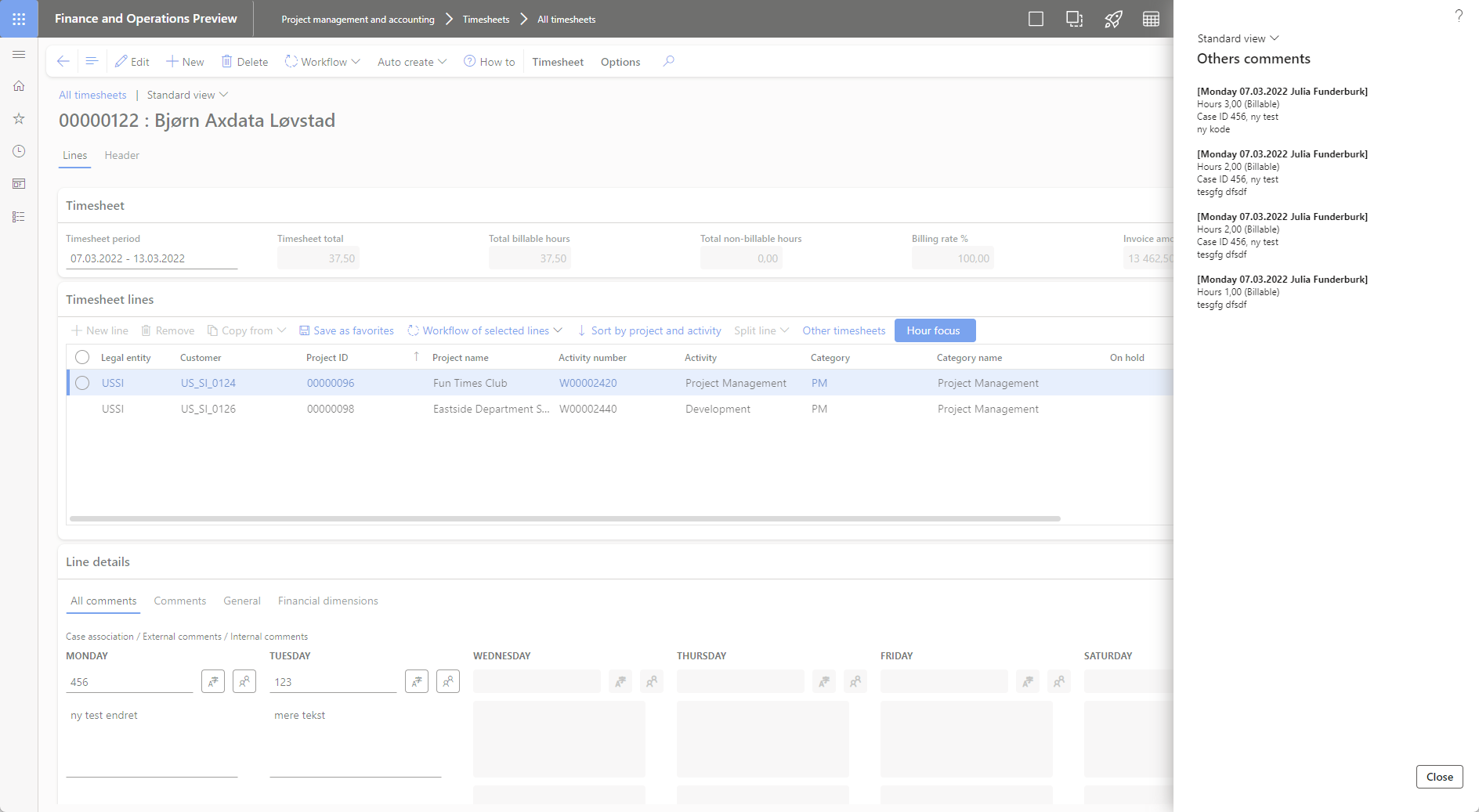
Other comments with new layout
When showing other comments the formatting made it hard to distinguish sections, with the new formatting this is now easier to read