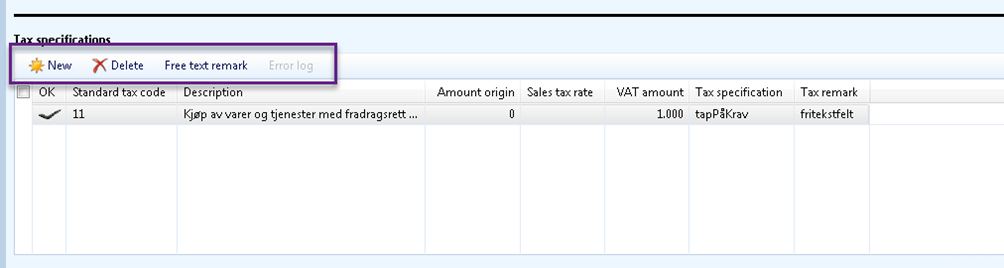
Step 4 | Section 3: Tax specifications
In this section by clicking on the New button, you can create a tax specifications per tax code. You can choose a Standard tax code from a lookup field. The Amount origin field and Sale tax rate field are closed for editing. You can write an amount in the VAT amount field. And a Tax specification is required for the record. After saving the record the Amount on Tax report changes.
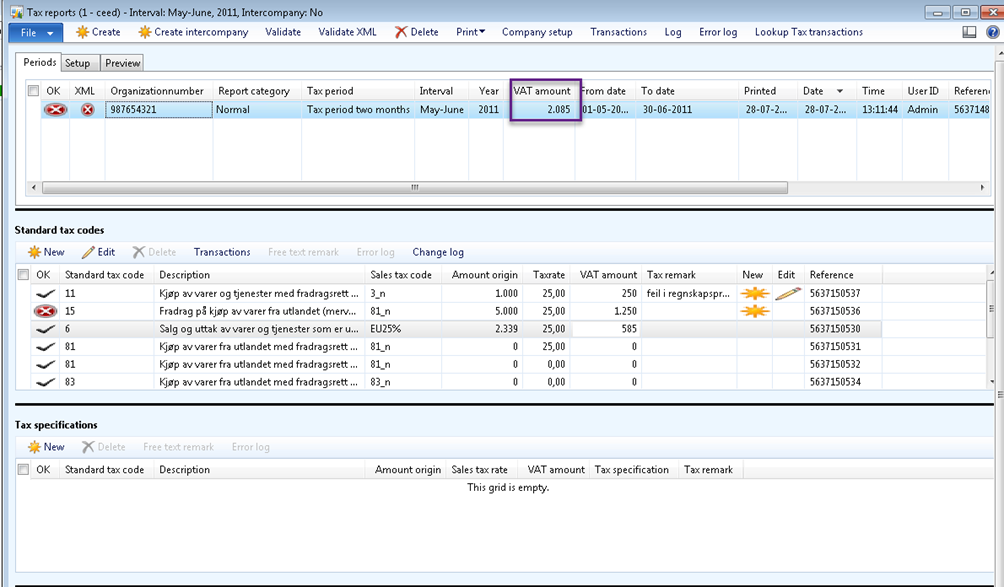
An example before adding a Tax specification:
An example after adding a Tax specification.
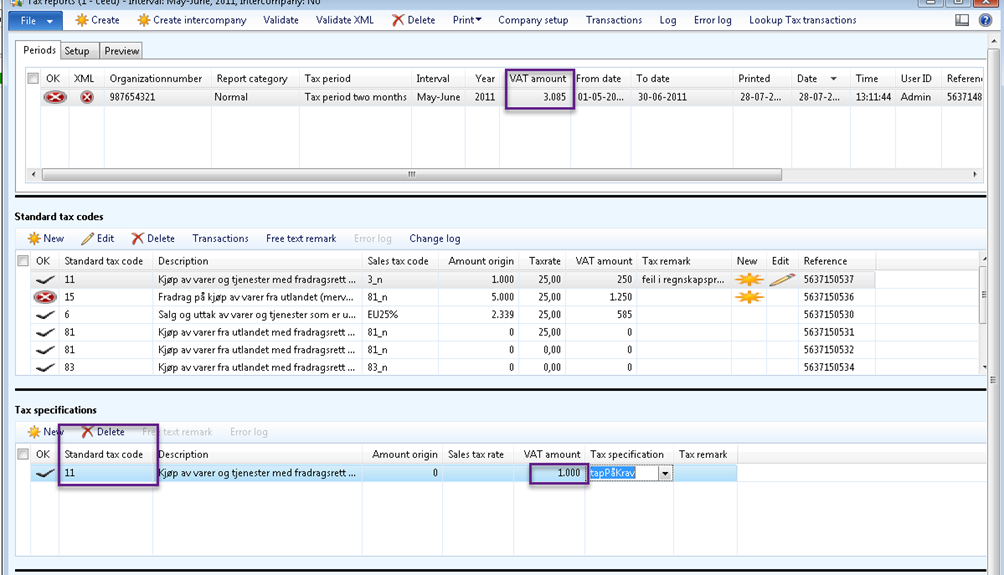
The tax report Vat amount changes after adding and saving the tax specification.
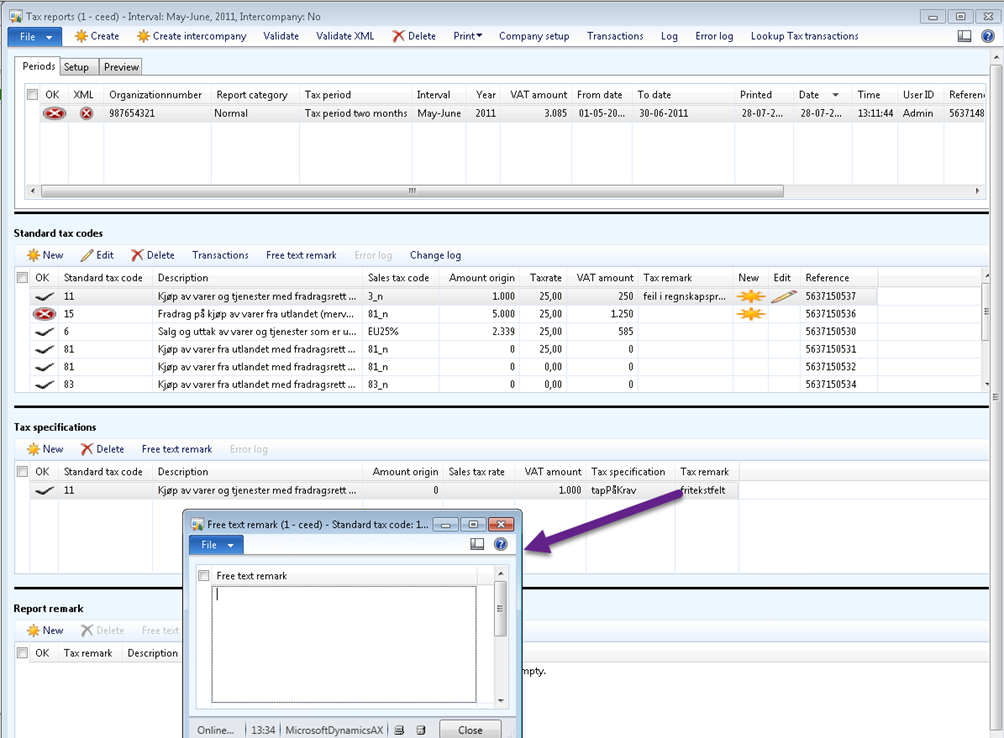
The tax specification is mandatory, but the Tax remark field is optional. If you chose a Free text from lookup field, then the Free text remark button activates, and by clicking on the Free text remark a new form opens where you have the possibility to write an explanation op to 400 characters.
a) Tax specifications menu button:
- New:
Create a Tax specification - Delete:
Delete the tax specification - Free text remark:
The button is active if you chose at Tax remark - Error log:
The Error log functionality is the same as in the section 2