Pjm.2026.10.3.20

This release introduces a new setup for intercompany posting, additional approval options in the purchase order workflow, and a new role-based option for editing dimensions during invoice approval.
Change category on intercompany purchase orders by parameters
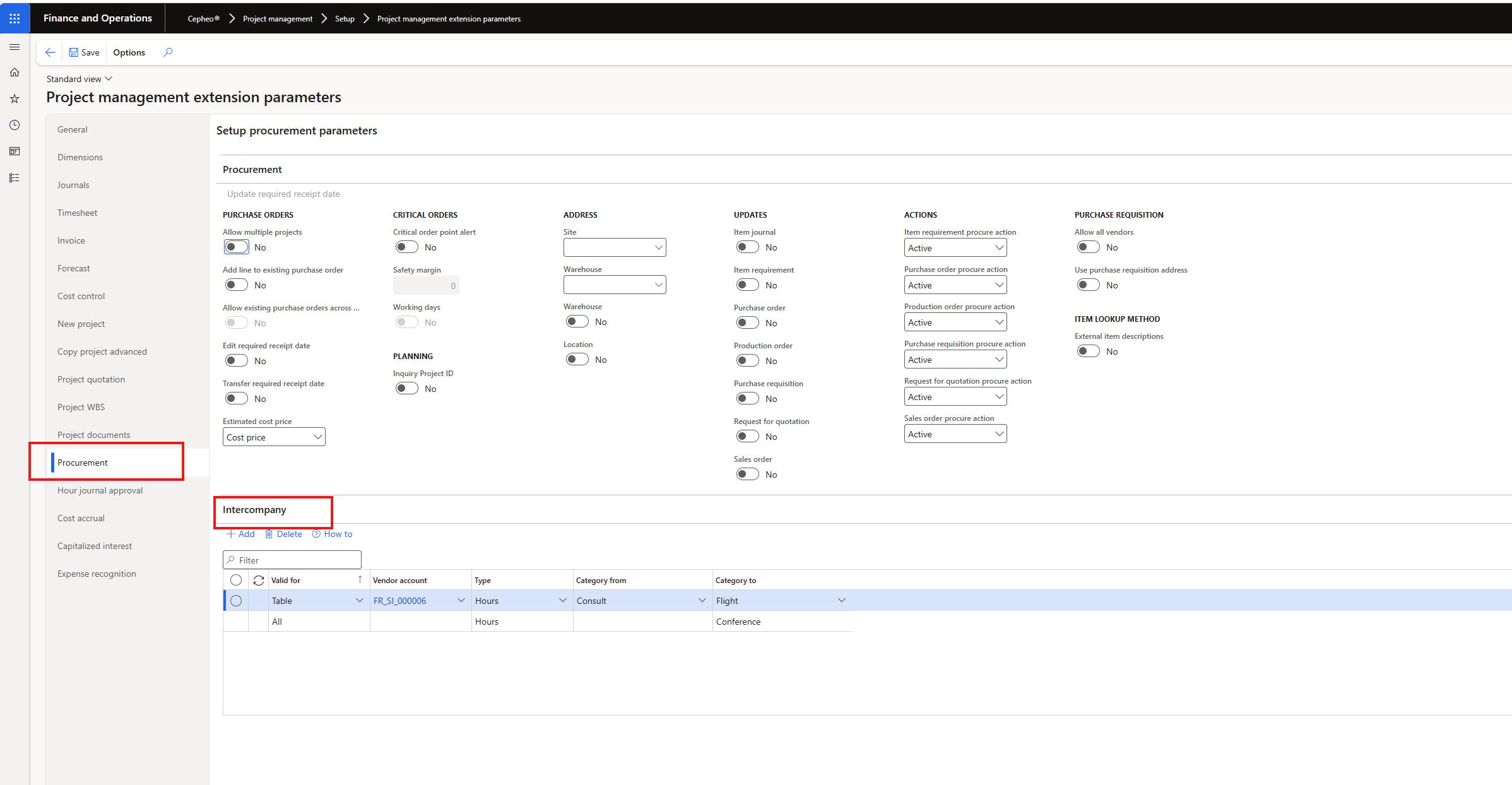
A new setup lets you automatically change the category on intercompany posting of hours and expenses. This makes it possible to classify group hours and expenses as external expenses.
In the setup table you can:
- Override the category for all hours or for explicit hours.
- Override the category for all expenses or for explicit expenses.
- Apply the setup per vendor, or for all vendors.
Purchase order workflow includes new approval options
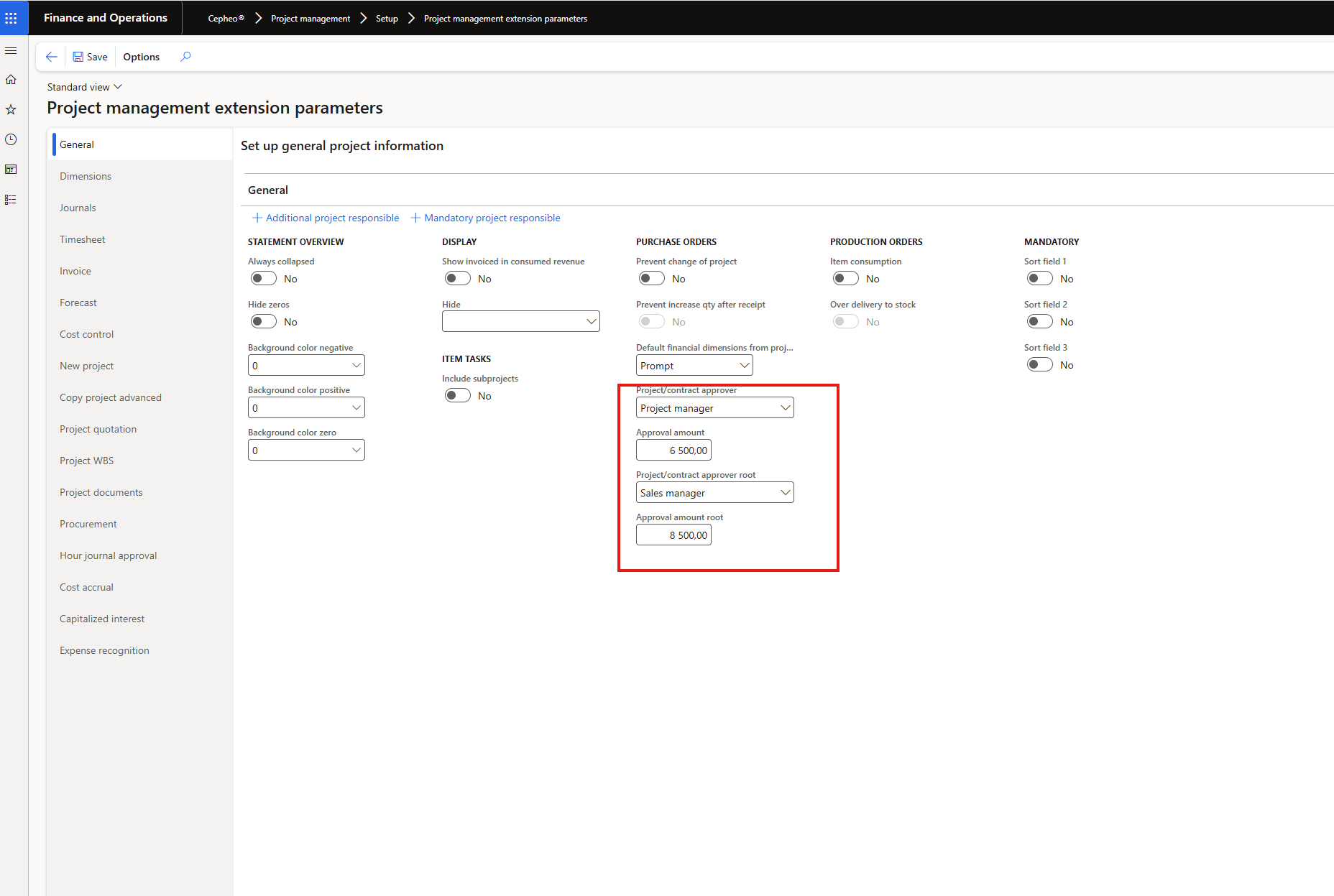
New fields have been added to the purchase order header. The fields are also available in the workflow editor, so they can be used when you set up approval of purchase orders.
The fields contain approval amounts per role. You can use these amounts to make conditional decisions in the purchase order approval workflow.
The two new roles are project contract approver and project contract approver root. These fields use the existing Microsoft drop-down values: sales manager, project controller, project manager or project contract owner.
The parameters determine which role on the project is assigned to the corresponding role on the purchase order, so that it can be used in the purchase order workflow.
New option to allow dimension edit on invoice approval
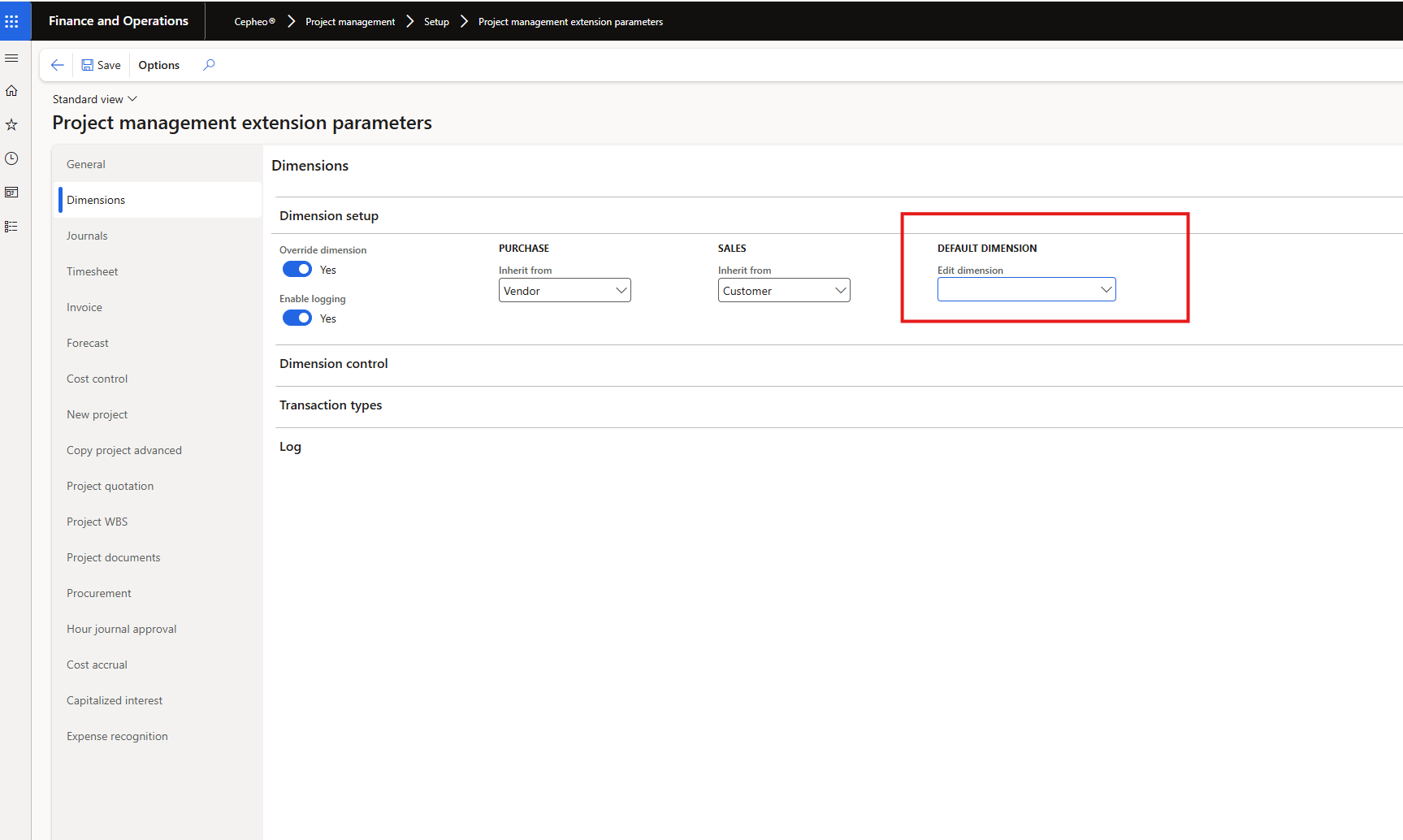
A new parameter has been added for setting a role that allows users to edit the default dimensions during invoice approval. The feature itself has also been optimized.