Overview per company
 Updated
by Dawid Kaczmarek
Click: Global data management -> Inquiries -> Overview per company
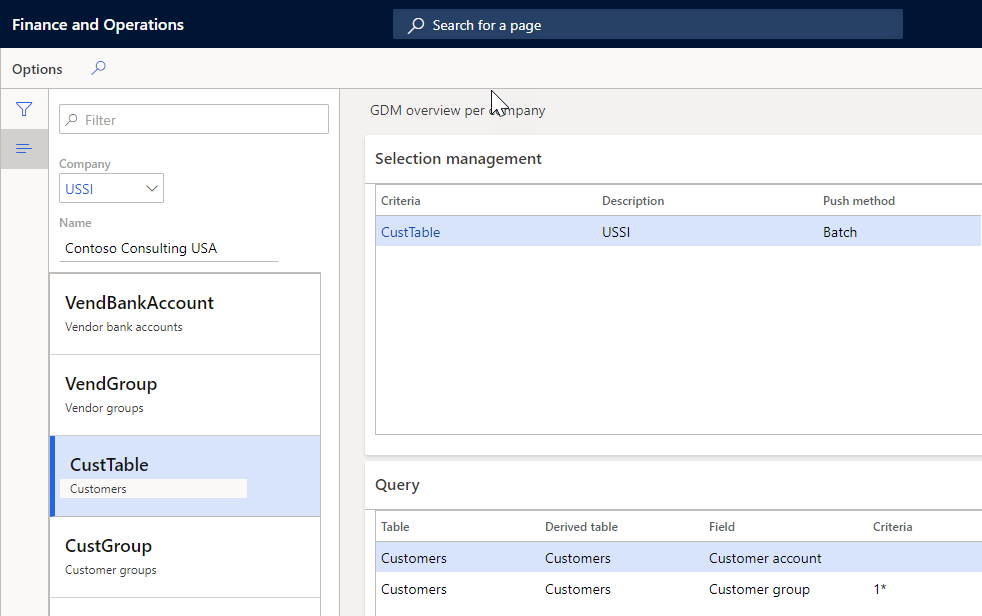
The overview per company shows the GDM setup made per company.
The left side of the form contains the list of all tables that has been set up for the selected company, and the right side shows the selection setup for the marked table.
In the above example CustTable has a query with a criterion that the group on the customer must begin with 1 for the customer to be pushed.
