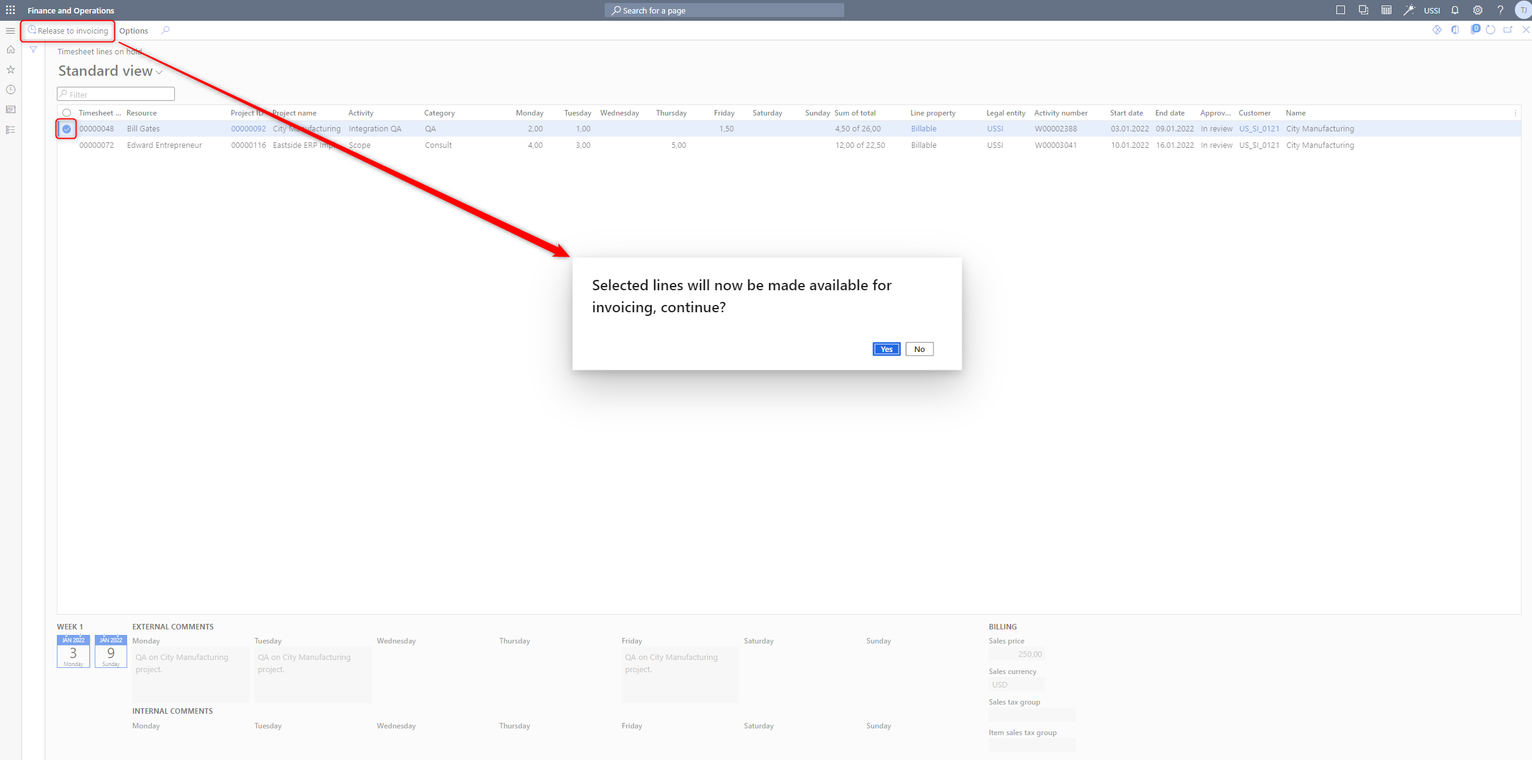
Timesheet lines on hold

Timesheet lines on hold is a new form developed by Cepheo, to provide finance and other relevant users with information on which timesheet lines that have been put on hold from invoicing for various reasons.
This form is available from Project management and accounting > Timesheets > Timesheet lines on hold.
Timesheet lines can be put on hold from invoicing from:
- The user that have registered the hours through function for putting timesheet lines on hold in Project Timesheet Form.
- Approvers that have put hours on hold through the approval process in Timesheet lines for my review.
All hours that are put on hold will be posted to projects as normal and be a part of the project summaries as a posted transaction. Furthermore, the posted transaction will have status "Chargeable", but the transaction will be prohibited from Project invoice proposals as long as the line is put on hold.
To see all hours that have been put on hold, and release for invoicing, navigate to Timesheet lines on hold, mark the lines you want to release and click "Release to invoicing". A info message appears to notify the user that the lines will be released for invoicing and to give the user a last chance for QA.