HowTo in forms
 Updated
by Frank Pedersen Moe
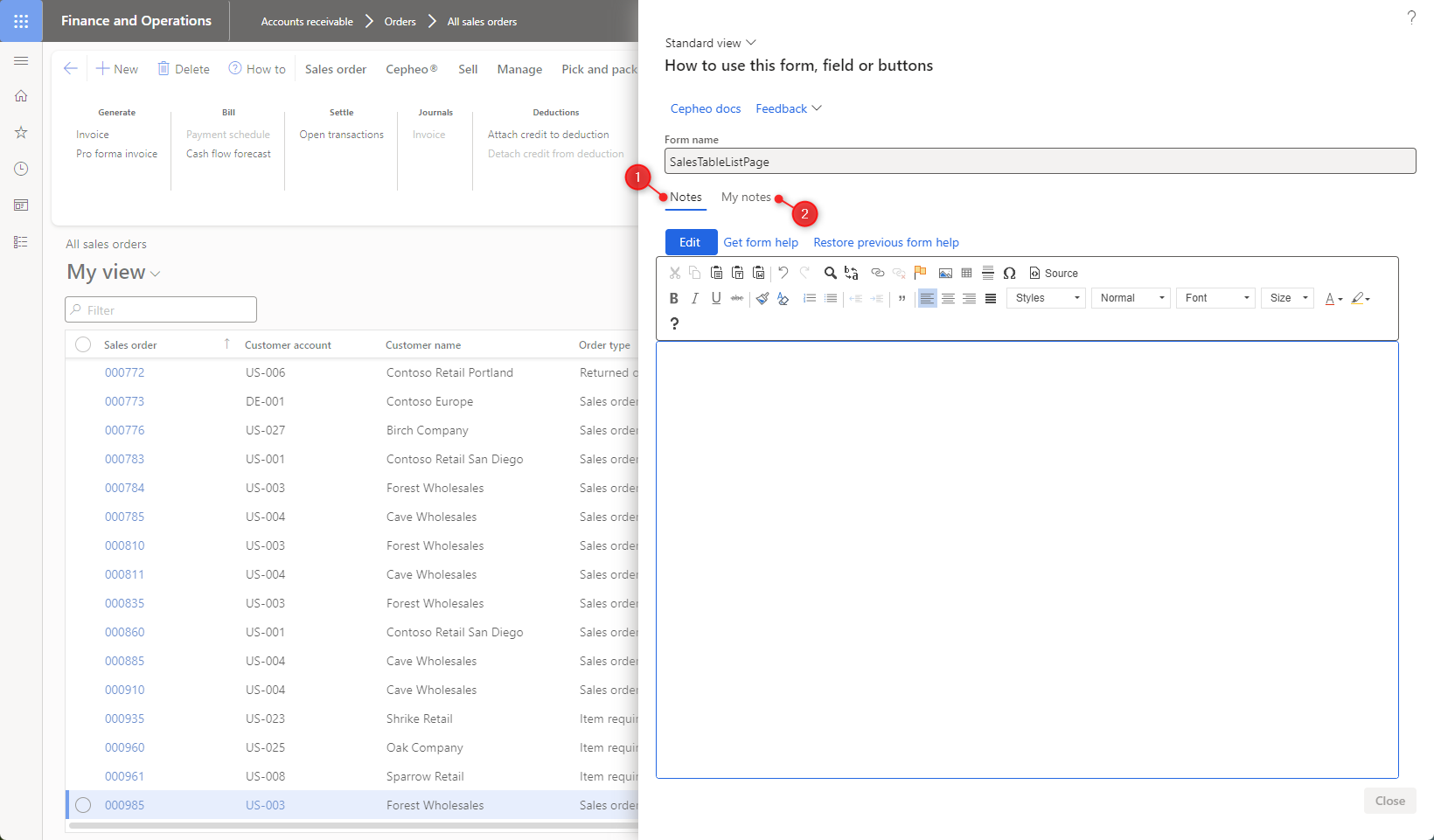
In some forms there is a "How to" button in the top toolbar which opens the HowTo form over the current window as a side dialog window. There is 2 tabs, Notes and My notes.
- Notes, here the the company can save their own usage guides and tips for usage on that specific form.
- The Edit button and the formatting pane is only available for those with the editor role.
- My notes, here users can save their personal notes for the specific form.
- The Edit button is available for all users.
The content is HTML based so it supports formating of text etc. There is also an link to Cepheo docs and a feedback function where users can send requests and comments back to Cepheo.