Sb.2026.10.4.45

General
- Sender site ID and Sender warehouse are now set from source
- Improved (Preview) Cepheo Shipment booking Partly delivered sales orders lines
- Improved validation of Create shipment booking from Loads
- Improved validation of Create shipment booking from Transfer orders
- The tag number length has been increased from 20 to 40 characters
- Improved enabling of Sender site ID and Sender warehouse in Shipment booking dialog
New security role for Document transformations
A new security role, Cepheo Shipment Booking Document transformation administrator, has been introduced.
Users must be assigned this role to edit Liquid transformations or upload custom Liquid files.
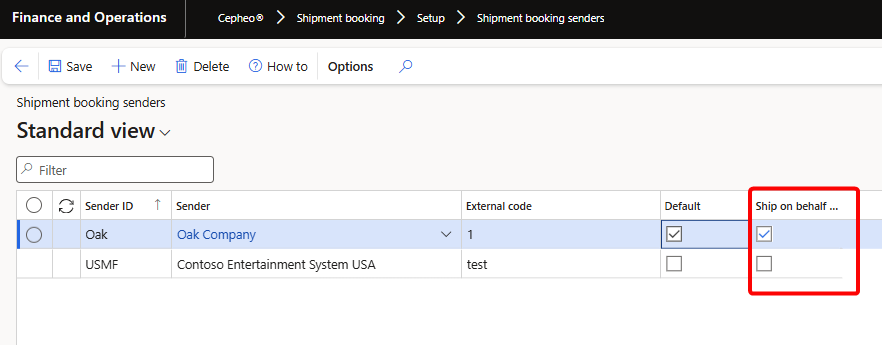
Allow shipping on behalf of sender (Preview)
Feature: (Preview) Cepheo Shipment booking Allow shipping on behalf of sender
A new preview feature allows a sender to ship from a site and warehouse in the current legal entity.
Enable Ship on behalf of sender to activate it for a sender.
Set shipment dates from source (Preview)
Feature (Preview) Cepheo Shipment booking Set shipment dates from source
When a shipment booking is created, shipment dates are retrieved from the source document. For each date, the system checks the Cepheo-specific field first. If no date has been specified, it uses the corresponding alternate field shown below.
Shipment
Shipment booking field | Cepheo field | Alternate field |
Pickup date | Pickup date | Pick up date |
Earliest delivery | Earliest delivery | Drop off date |
Latest delivery | Latest delivery | Drop off date |
Sales order
Shipment booking field | Cepheo field | Alternate field |
Pickup date | Pickup date | Requested ship date |
Earliest delivery | Earliest delivery | Requested receipt date |
Latest delivery | Latest delivery | Requested receipt date |
Item requirement
Shipment booking field | Field |
Pickup date | Requested ship date |
Earliest delivery | Requested receipt date |
Latest delivery | Requested receipt date |
Packaging specifications (Preview)
Feature (Preview) Cepheo Shipment booking Packaging specification
A Packaging specification defines a reusable hierarchical packaging structure that can be applied to shipment bookings.
A packaging specification consists of a Packaging specification at the top level, one or more Packaging shipments, and Packaging containers arranged in a hierarchy. Containers can contain sub-containers and container lines.
A packaging specification can be applied automatically when a shipment booking is created if not set on Item requirement.
Setup
Number sequences
Navigate to Cepheo® > Shipment booking > Setup > Shipment booking parameters
Configure a number sequence for Packaging node ID.
Packaging specifications
Navigate to Cepheo® > Shipment booking > Setup > Packaging specifications
Use this page to create and maintain packaging specifications that can be applied to shipment bookings.
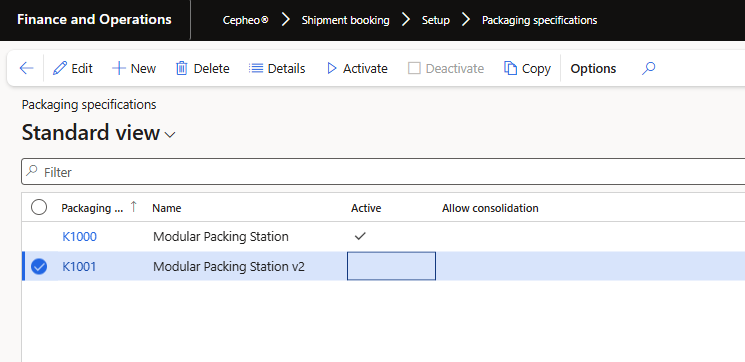
Select Copy to create a new packaging specification based on an existing specification.
Activation and allocation
Before a packaging specification can be activated, its total Allocation percent must be 100%.
The Allocation percent is specified on the container lines. Individual container lines may have an allocation percentage of 0%, provided that the total allocation for the packaging specification is 100%.
Select Activate to activate the packaging specification.
Packaging structure
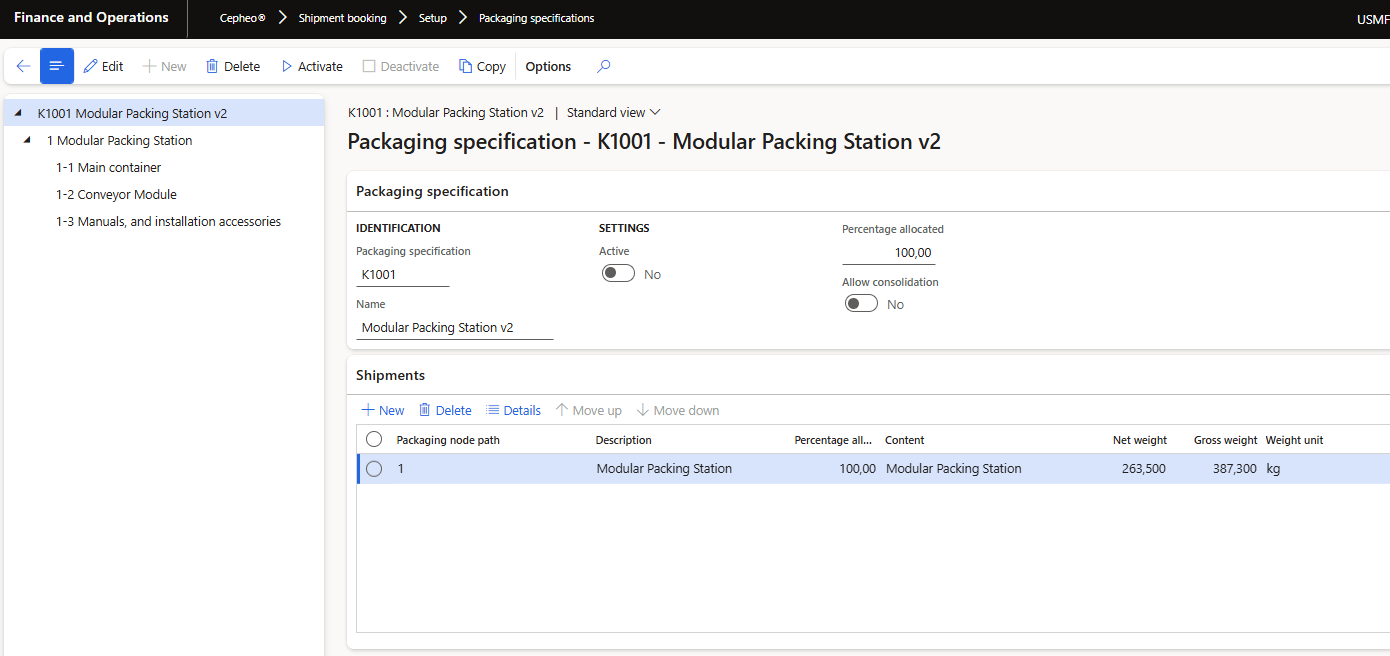
Select Details, or select the link in the Packaging specification field, to maintain the details of a packaging specification.
The information displayed on the details page depends on the node selected in the packaging structure tree.
Packaging specification
The Packaging specification is always the top-level node in the packaging structure.
When this node is selected:
- Enable Allow consolidation to allow the shipment to be consolidated with other shipment bookings when the shipment booking is created or later through manual consolidation.
- Create or delete packaging shipments in the Shipments grid.
- Select Details in the Shipments grid to open the selected packaging shipment
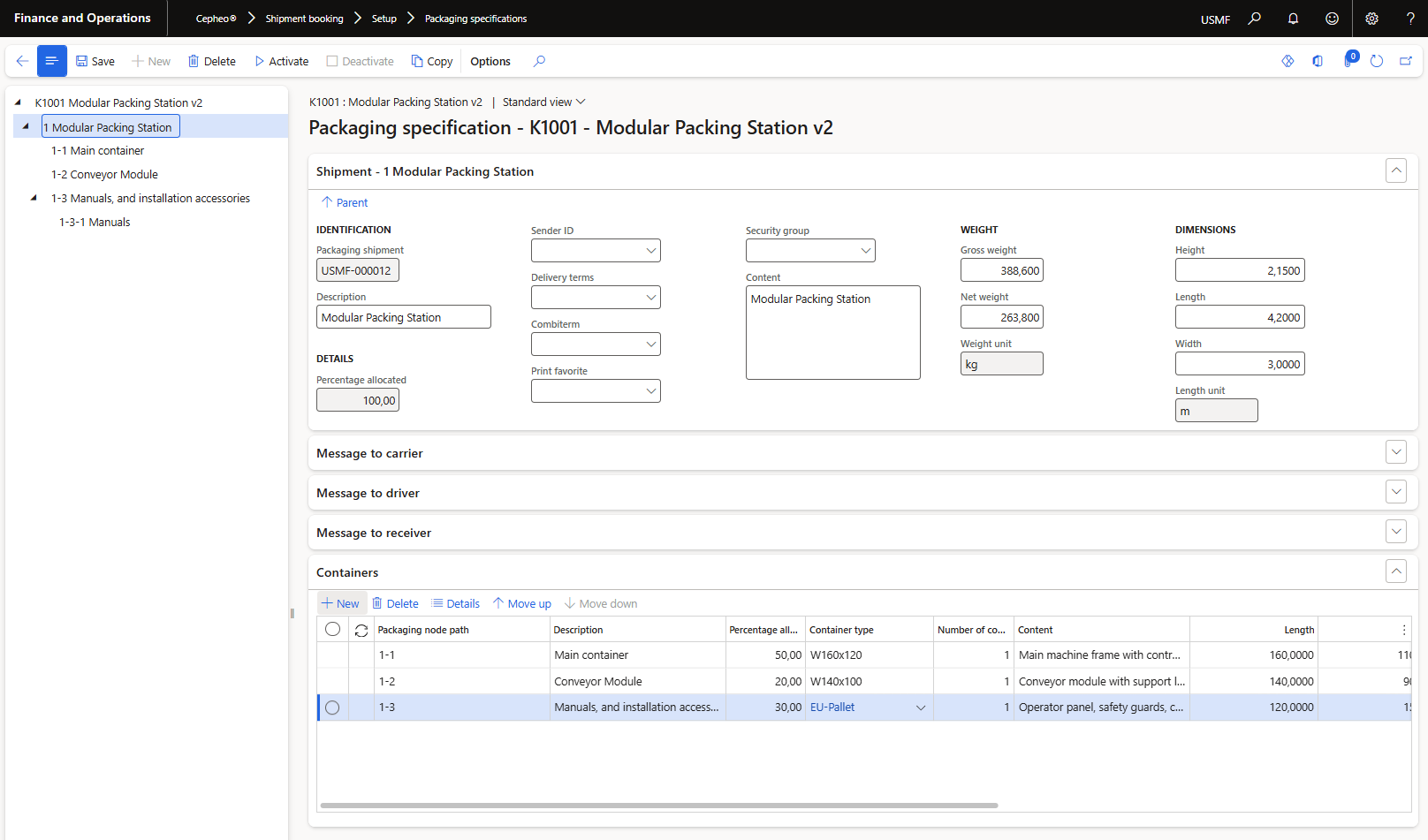
Packaging shipment
A Packaging shipment is always located at the second level of the packaging structure.
When a packaging shipment is selected:
- Maintain the packaging shipment and its containers.
- Select Details above the Containers grid to open the selected packaging container.
- Select Parent to return to the packaging specification
Packaging container
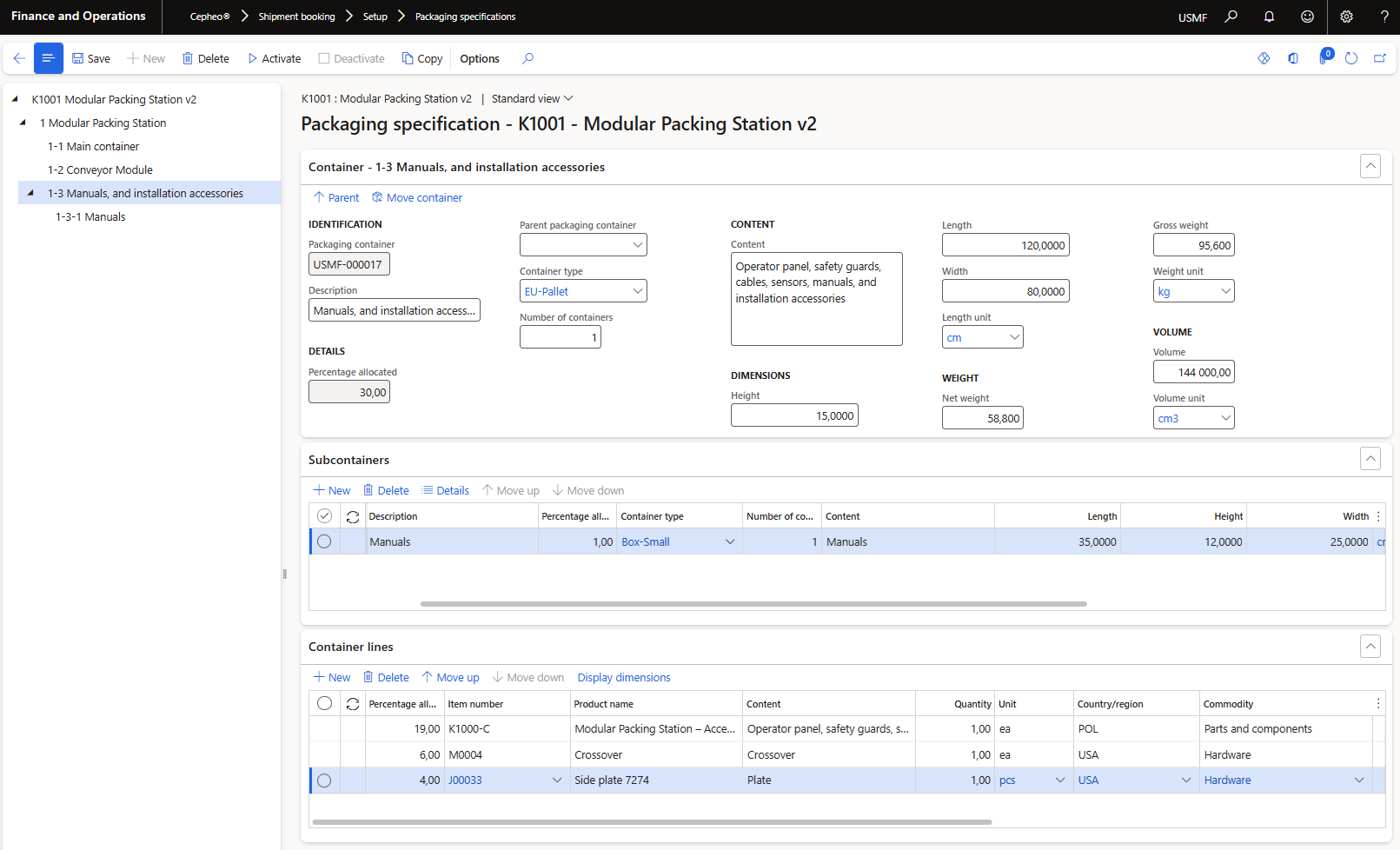
Packaging containers are located at the third level of the structure and below.
When a packaging container is selected:
- Maintain the packaging container, its sub-containers, and container lines.
- Select Move container to move the selected container to another packaging container or packaging shipment.
- Select Details in the Sub-containers grid to open the selected sub-container.
- Select Parent to navigate to the parent packaging container or packaging shipment.
Packaging policies
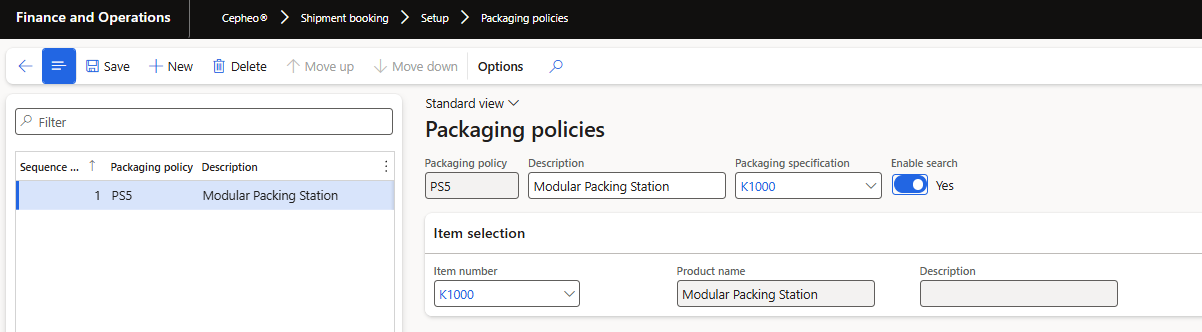
Navigate to Cepheo® > Shipment booking > Setup > Packaging policies
In this preview version, a Packaging policy is used to find a packaging specification for a single product.
Packaging policies where Enable search is enabled are evaluated when a shipment booking is created. When a matching packaging policy is found, its packaging specification is applied to the shipment booking.
Item requirements
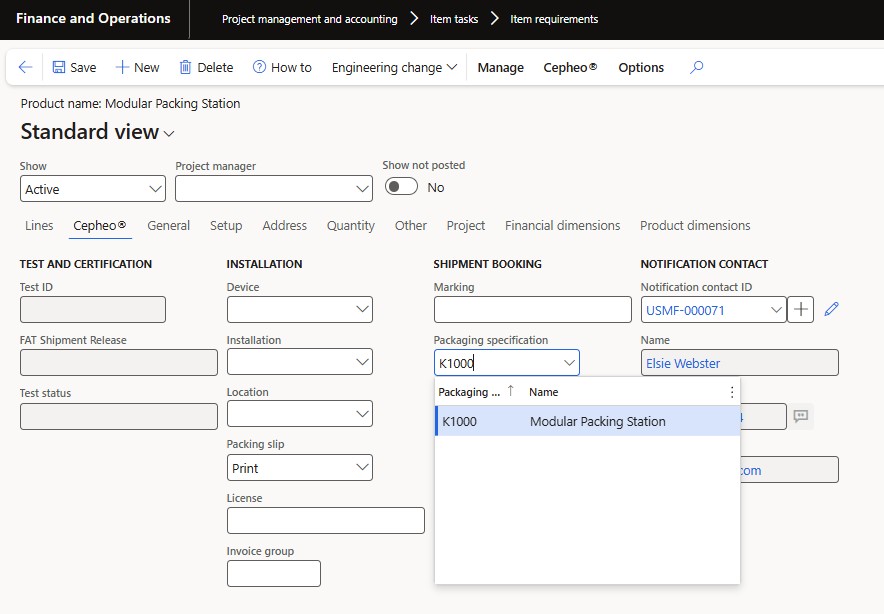
Navigate to Project management and accounting > Item tasks > Item requirements
An active packaging specification can also be selected on an Item requirement.