Shipment booking cost rule
It is possible to import prices for shipments from nShift Ship (Cosignor). The price can be used for information on the Shipment booking or imported onto a sales order.
Start by setting up the cost rule. This will determine what costs are imported onto a sales order line.
Navigate to Cepheo® > Shipment booking > Setup > Shipment booking cost rules
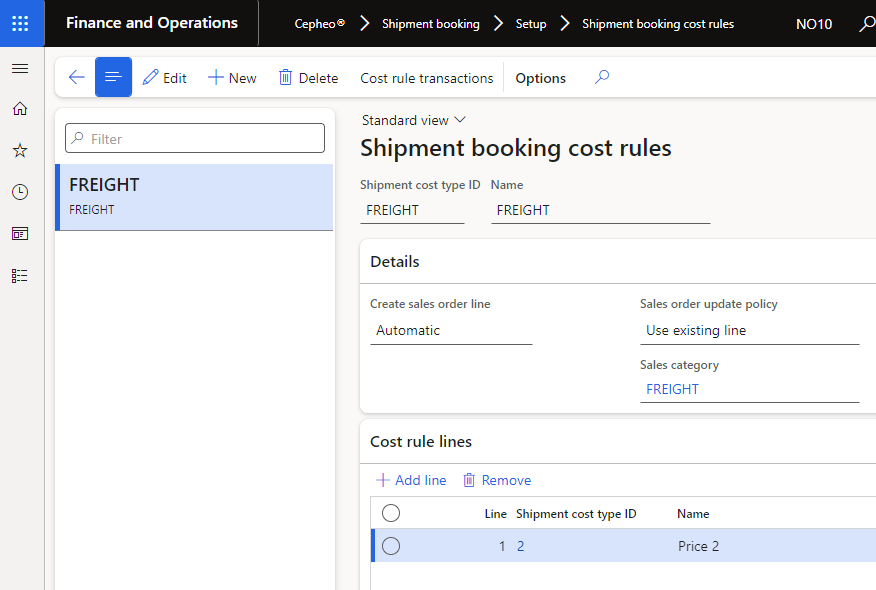
Make sure you have set the Shipment cost types under
Cepheo® > Shipment booking > Setup > Shipment booking parameters > Shipment cost type
To add the information onto the sales order, choose what category should be use for fetching the correct price.
