Create New Installation
Installations can be created in the following ways:
- From Project Module - created link between Project, Customer, Location and Installation
- Direct in the Installation module - no links created
Create Installation from Project:
Go to a project and Select "Installation" from Cepheo menu.
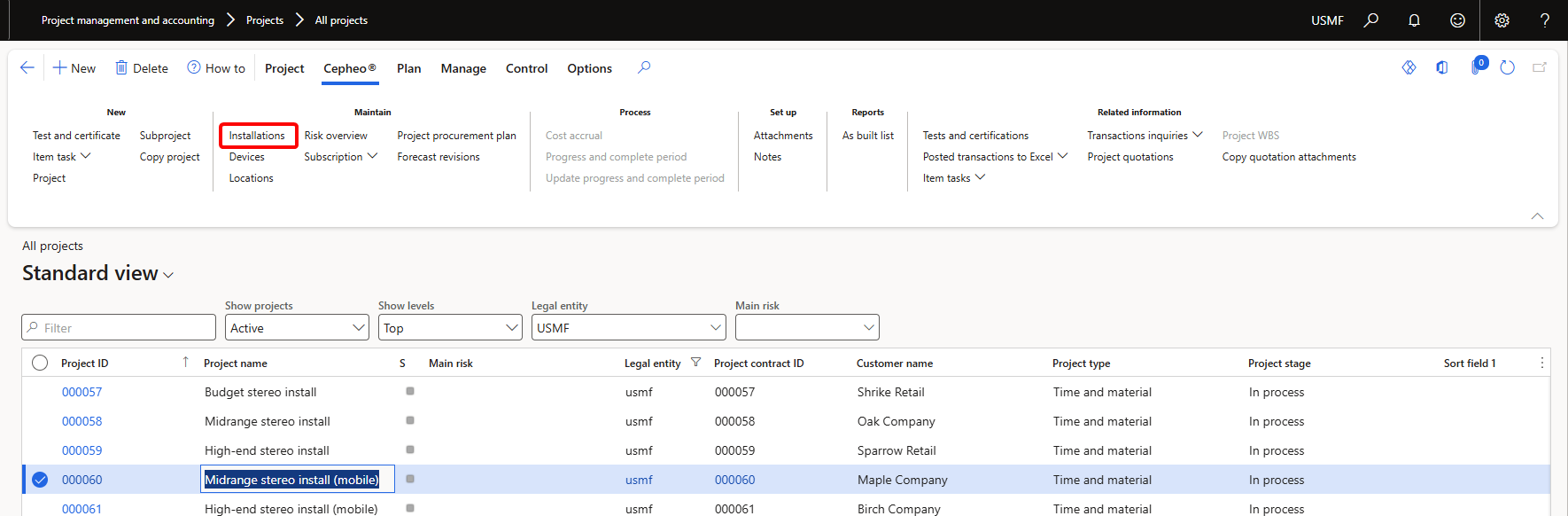
You will now see all Installations that are crated and linked to the Project. To create a new installation - select "New".
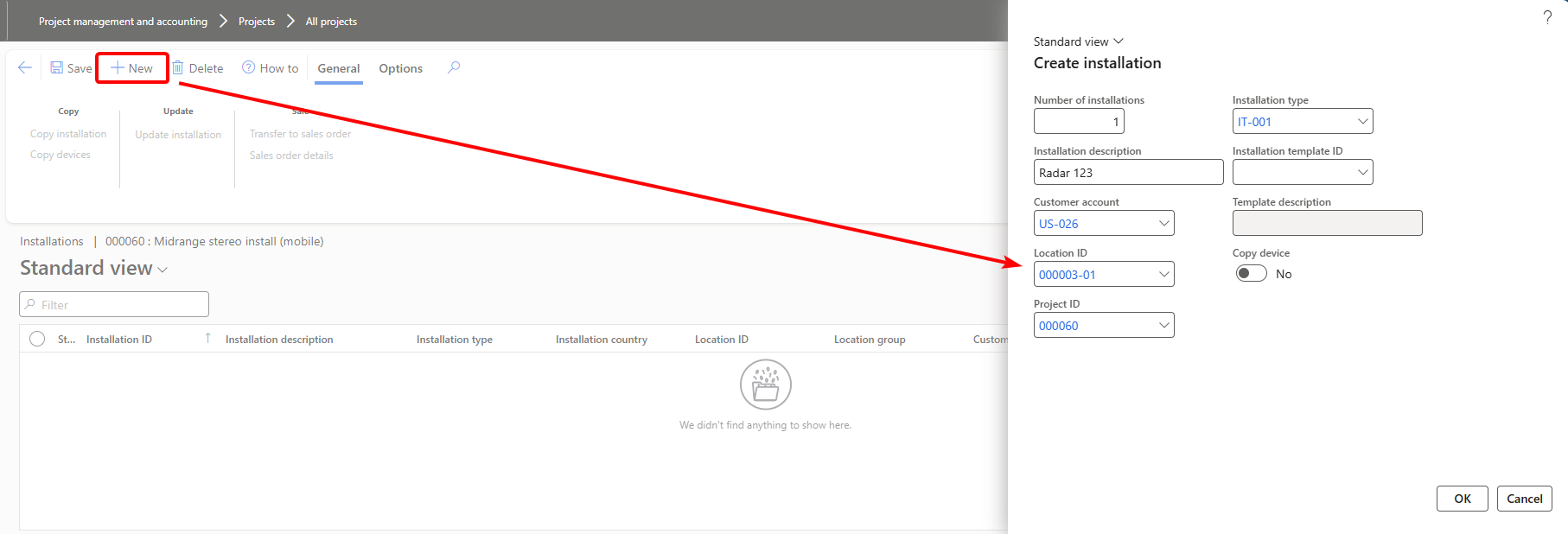
Information from the Project are predefined - select Number of Installations, Location and give the Installations(s) a name and select "OK" to create a new Installations. Remember to rename if more than one Installation is created.
