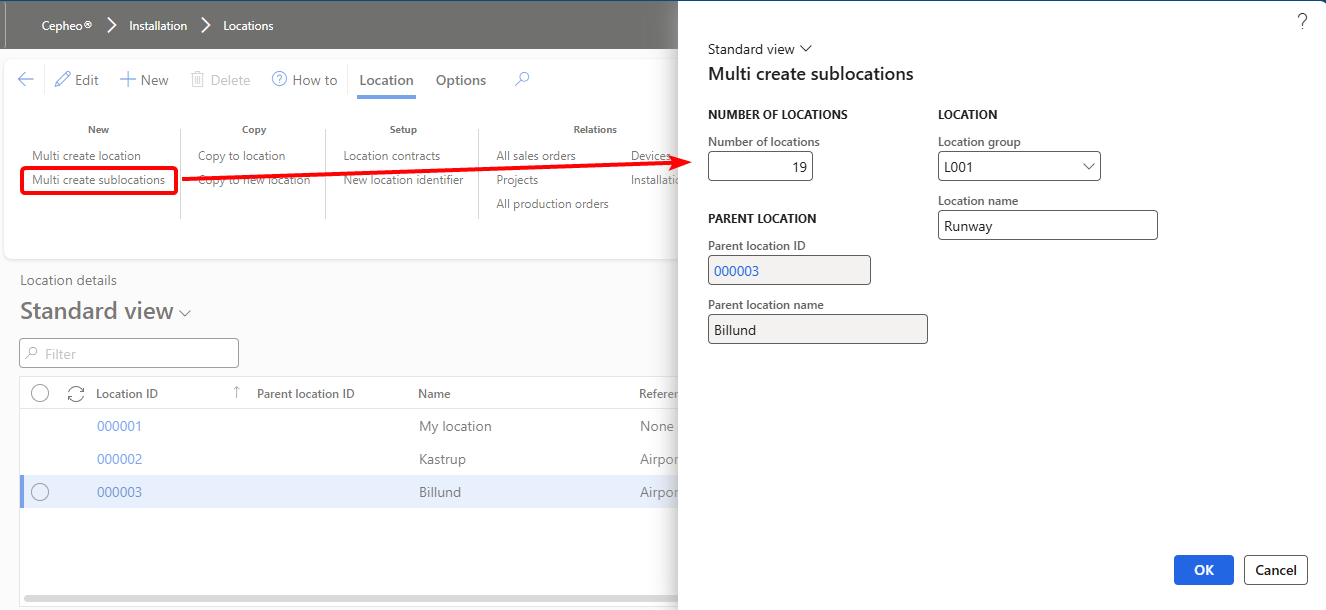
Create Location and Sub-Locations
Cepheo Installation has the following references in combination with Customer and Project:
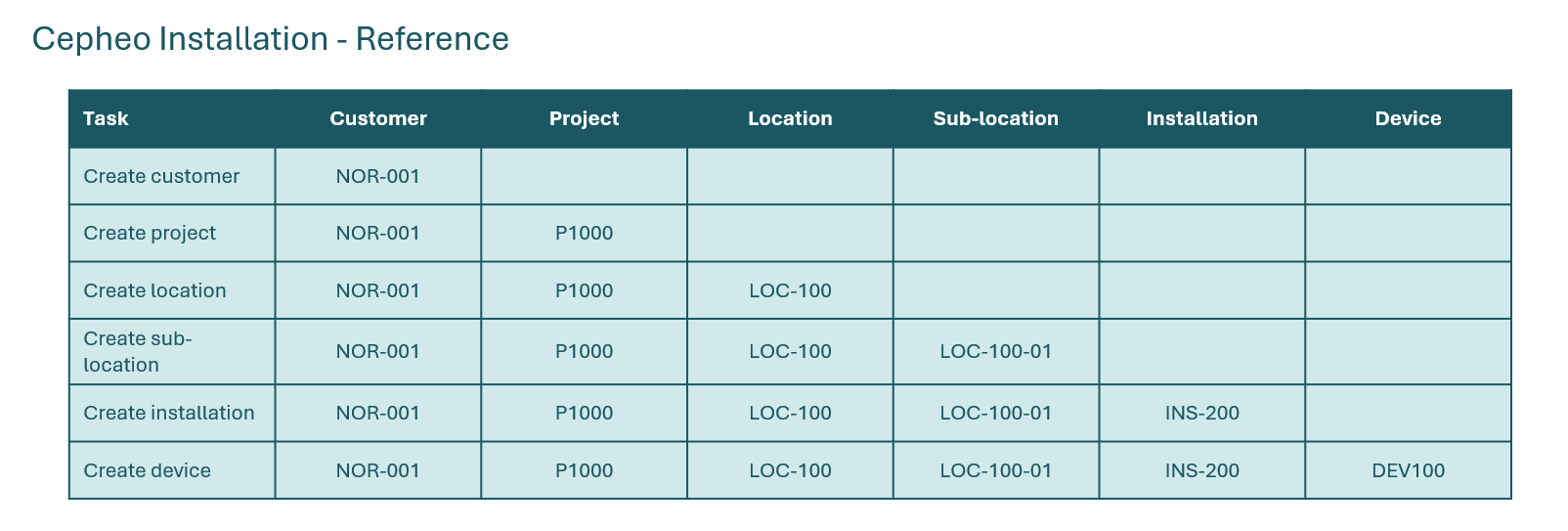
Location can be created in the following ways:
- From Project Module - created link between Project, Customer and Location
- Direct in the Location module - no links created
- From Marine & Offshore as Vessel location
Create Location from Project: Project management and accounting > All projects
Go to a project and select "Locations" from Cepheo menu.
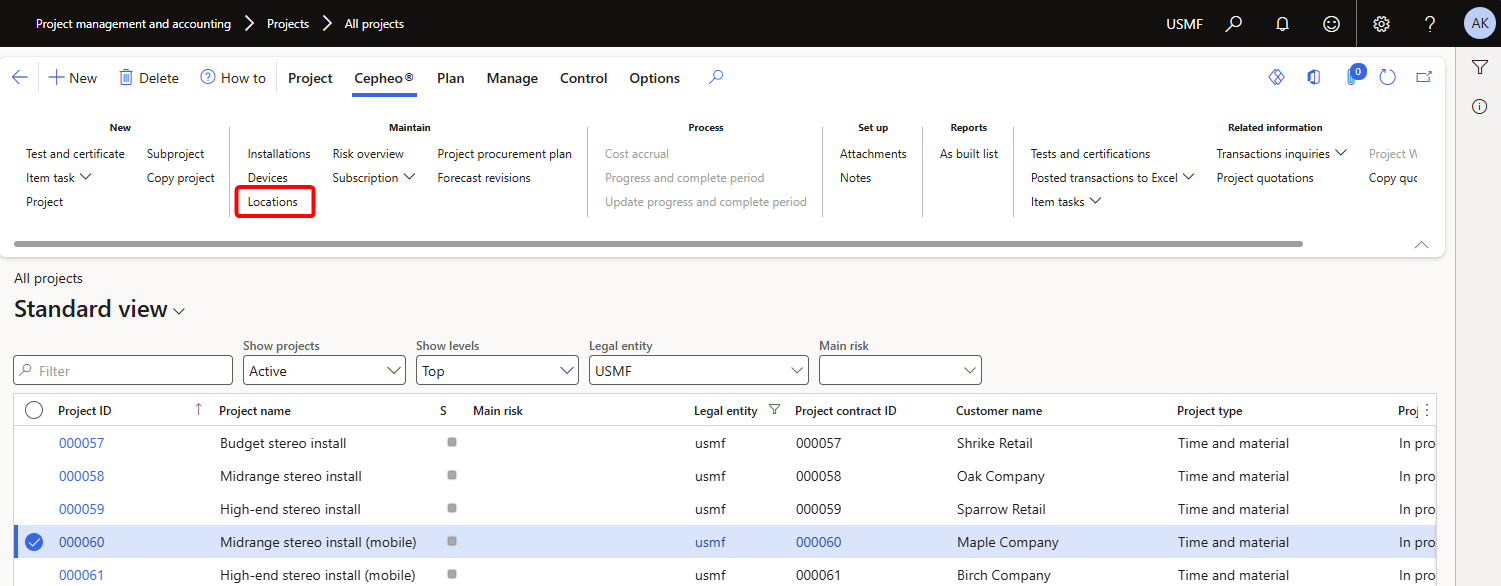
You will now see all Locations that are created and linked to the Project. You can now choose to create a single Location or "Multi create Location". To create only one location - select "New".
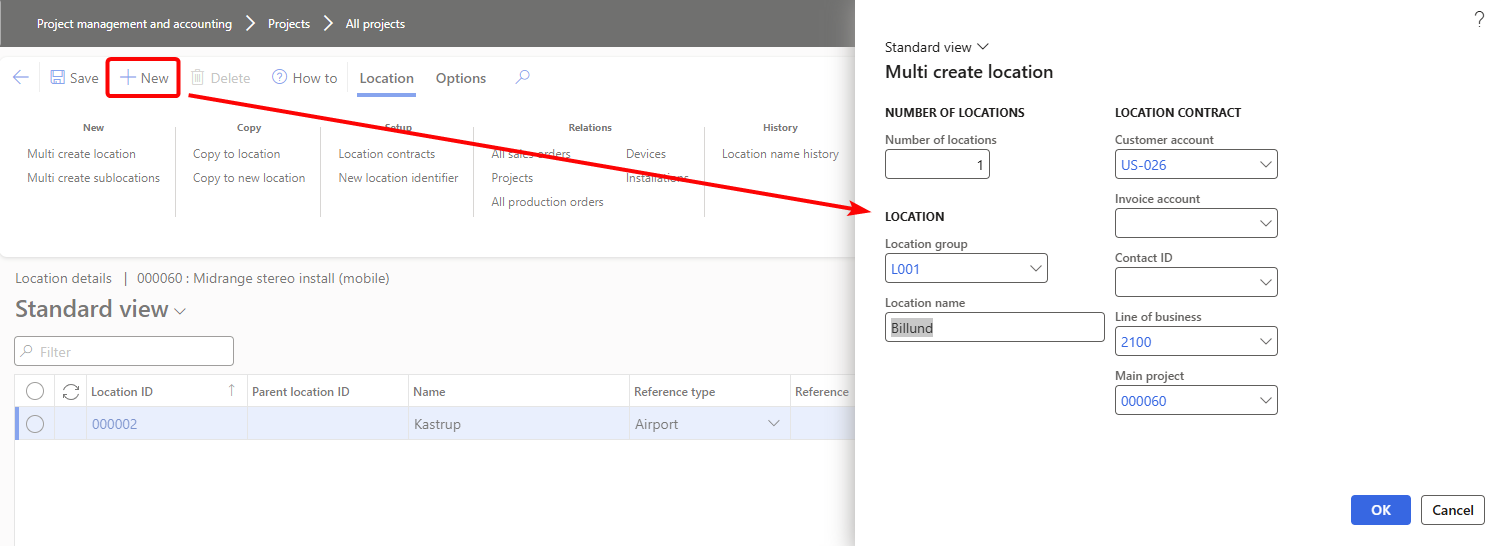
Information from the Project are predefined - select Location group and give the location a name and select "OK" to create a new location.
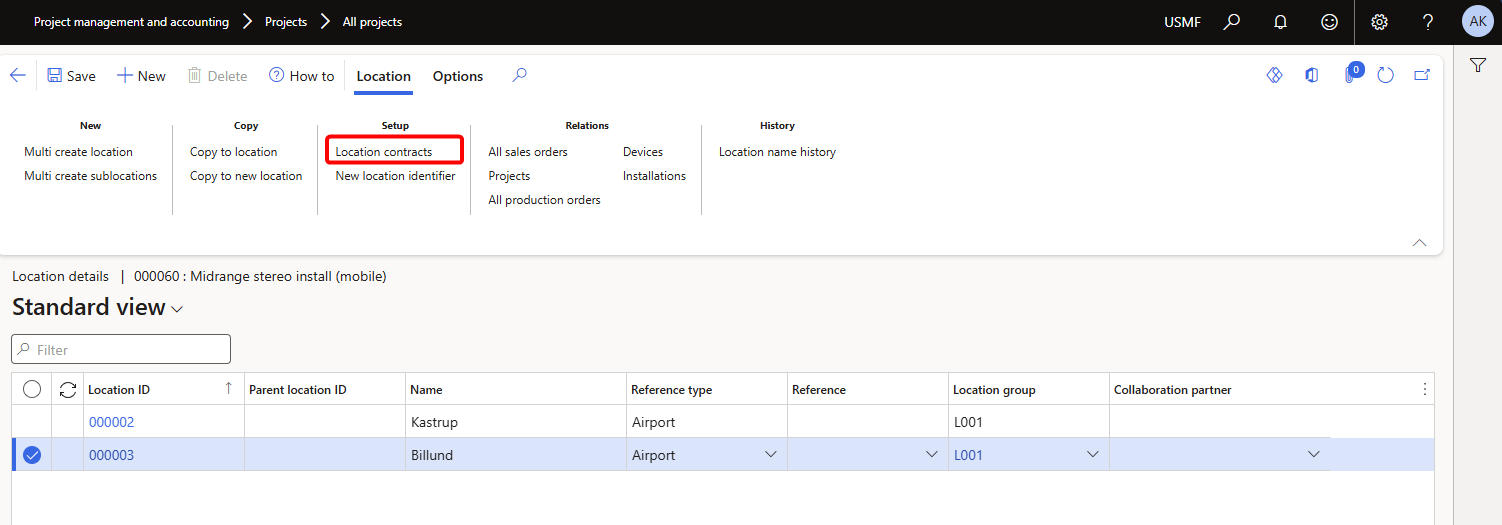
When a Location is created with link to a Project, the Location is created in Location Contract.
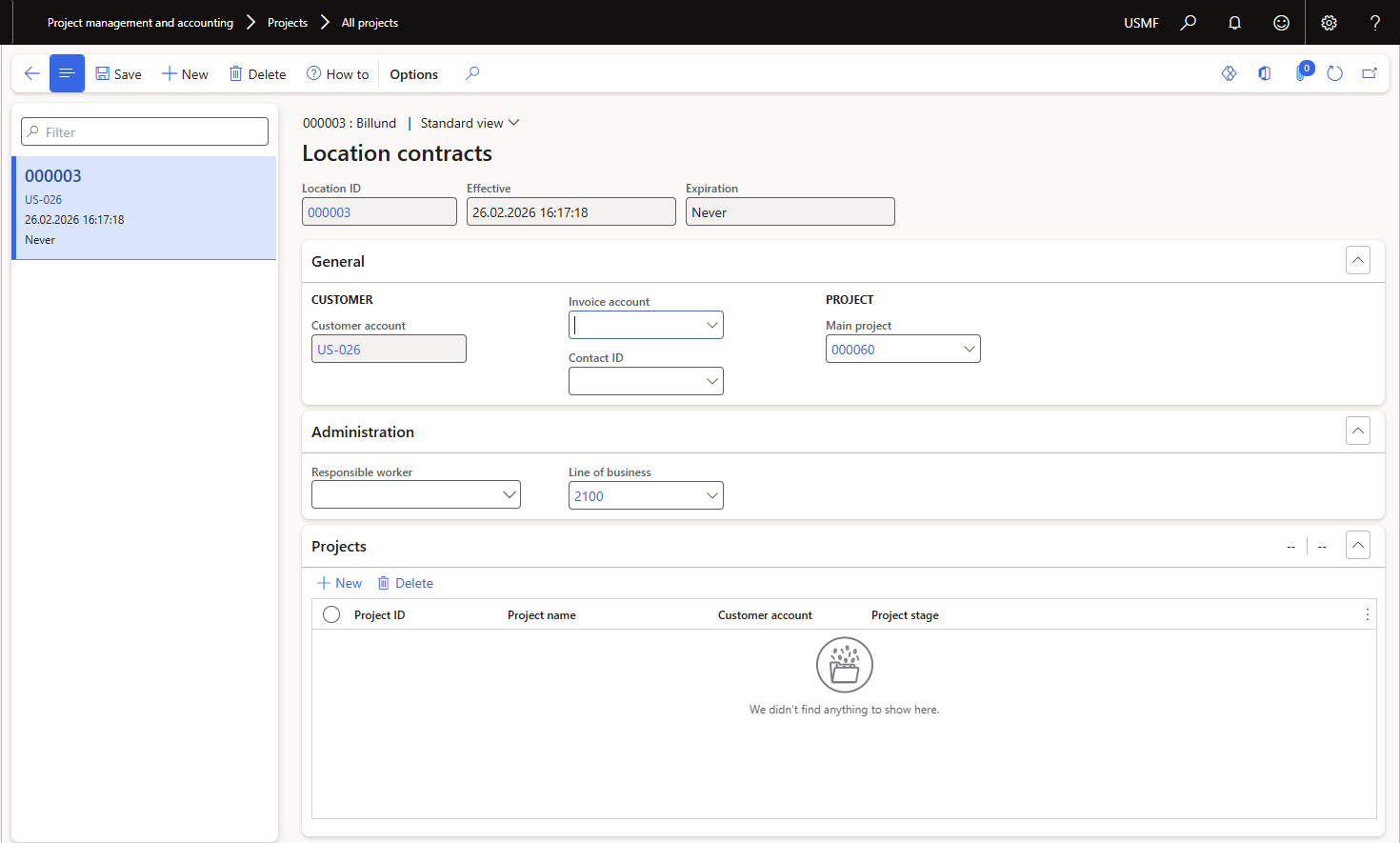
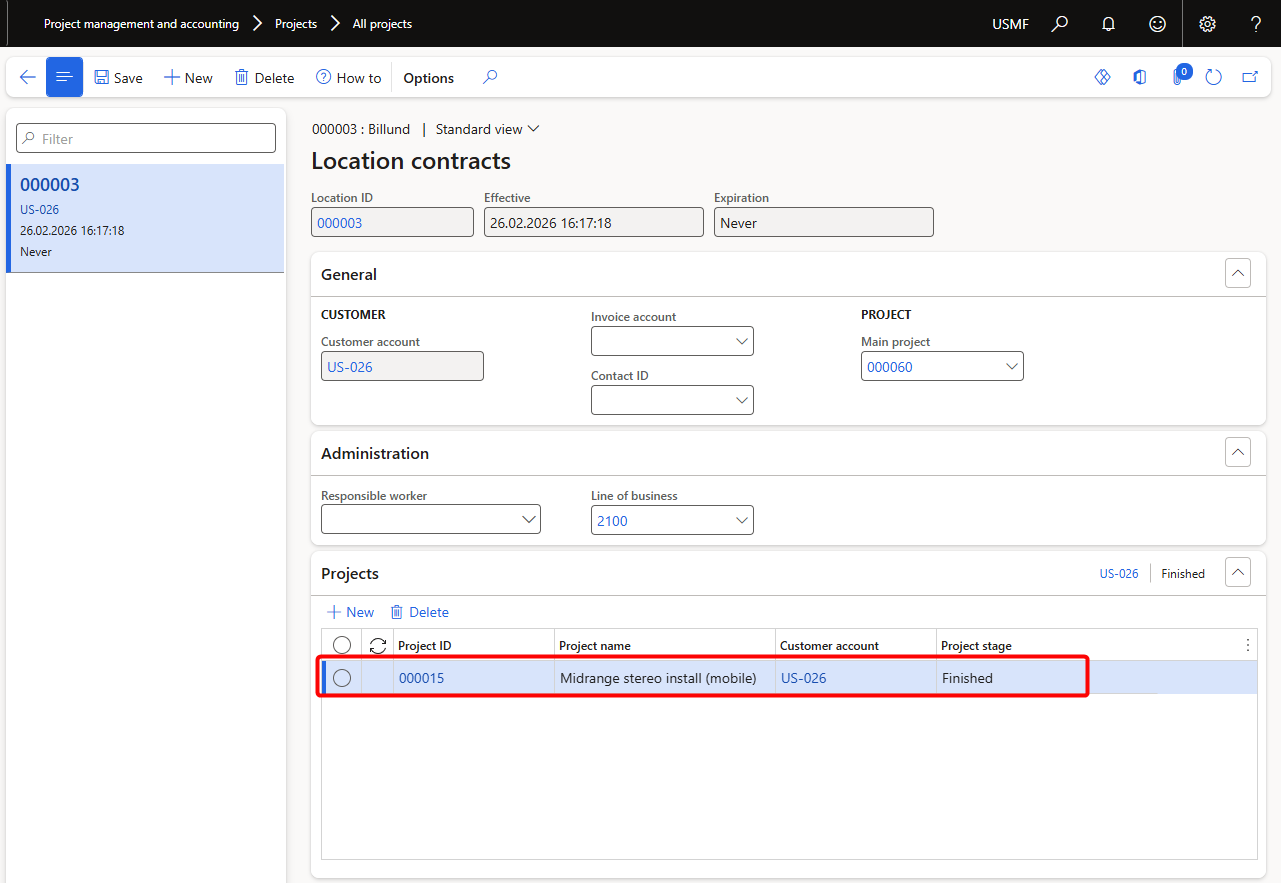
If the Location are to assigned too more than one Project, new projects can be added under "Projects" under Project Contract.
To create Sub-Location go to Cepheo® > Installation > Locations and select a Location.
Select "Multi create location" and enter number of Locations, Location group and Location Name