Document transformations
Document transformations convert Cepheo Shipment Booking documents into the format required by the external booking service in nShift.
Currently, Liquid templates are supported for document transformations.
Open Document transformations
Navigate to Cepheo® > Shipment booking > Setup > Document transformations
Use this page to manage the transformation templates used by the integration with nShift.
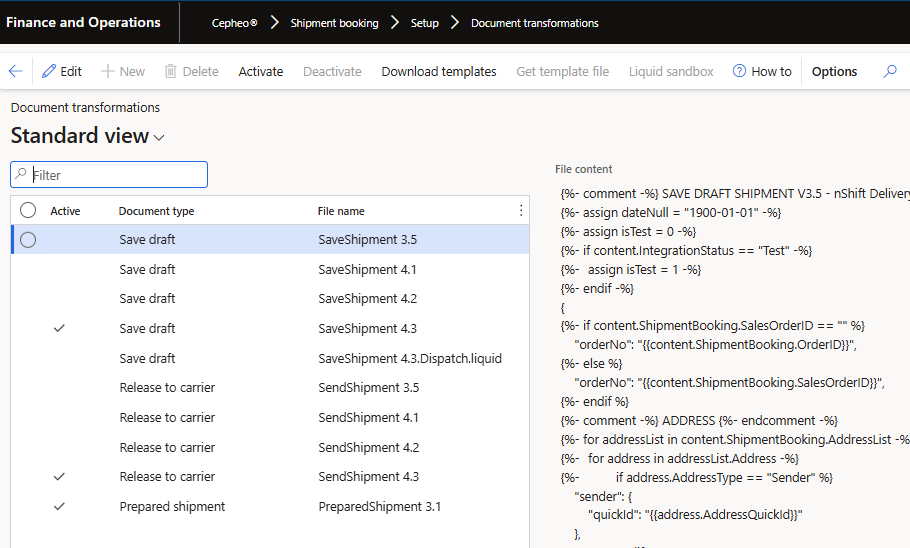
Standard document transformations
The latest versions of the standard document transformation templates are automatically downloaded when the Document transformations page is opened.
To download the templates manually, select Download templates
To activate a document transformation
- Select the document transformation.
- Select Activate.
If another document transformation for the same document type is already active, it is automatically deactivated.
Security
Users who create, edit, or delete Liquid transformations must be assigned the Cepheo Shipment Booking, Document transformation administrator security role.
Create a document transformation manually
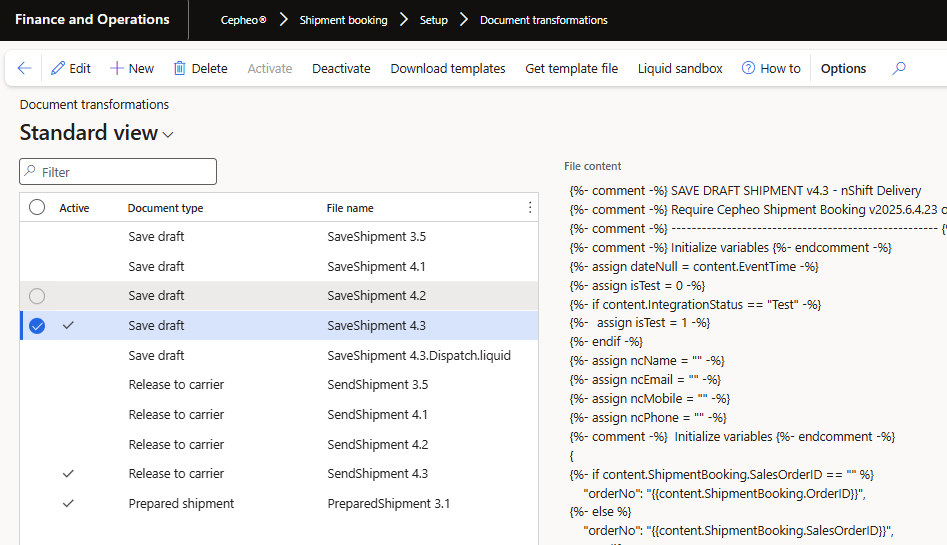
To create and import your own transformation:
- Select New
- Select the required Document type
- Select Save
- Select Get template file
- In the Select a file dialog, select Browse and choose the Liquid transformation file
- After import, File name displays the imported file name and File content displays the Liquid template.
- If required, edit the transformation directly in File content.
- Select Save
- Select Activate when the transformation is ready to be used by the integration.
Supported document types
nShift Ship (Consignor)
Save draft
Used when a shipment booking is stored in nShift Ship using the SaveShipment operation. The shipment is saved in nShift but is not sent to a carrier.
Release to carrier
Used when a shipment booking is released to a carrier through nShift Ship using the SubmitShipment operation. This transformation applies to the body of the request.
Release to carrier (Options)
Used together with Send shipment booking when a shipment is released through the nShift Ship SubmitShipment operation. This transformation applies to the Options/header part of the request.
nShift Delivery (Unifaun)
Save draft
Used when a shipment booking is stored in nShift Delivery as a Stored shipment. The shipment is saved in nShift but is not sent to a carrier.
Release to carrier
Used when a shipment booking is sent to a carrier through nShift Delivery using Shipments.
Prepared shipment
A variant of Send shipment booking used for shipment bookings originating from a web shop.
