Synchronization and Telemetry
 Updated
by Dawid Kaczmarek
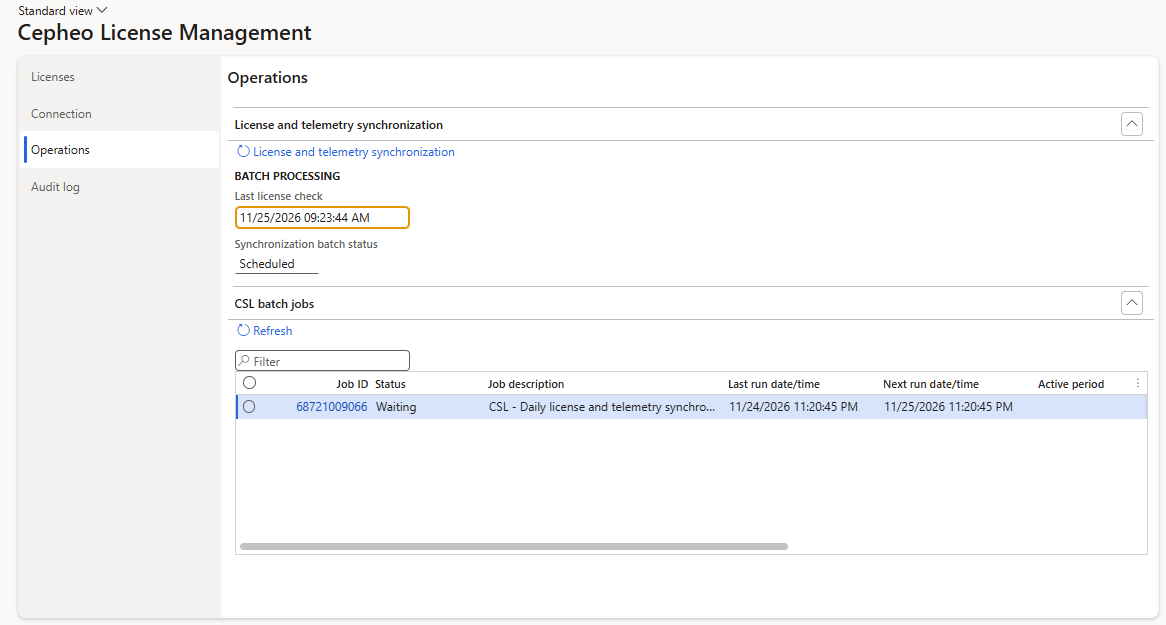
Open Cepheo License Management > Operations. One recurring job, CSL - Daily license and telemetry synchronization, sends telemetry first, then refreshes licenses.
Choose the right action
| Action | Effect |
|---|---|
| Refresh licenses, under Licenses | Immediately fetches entitlements and updates the successful-check timestamp. |
| Send telemetry, under Licenses | Immediately sends approved environment and usage metrics. |
| License and telemetry synchronization | Schedules or repairs the combined daily job. |
| Refresh, above CSL batch jobs | Reloads the list only; does not execute a job. |
Check the schedule
- Review synchronization status and locate the job using Filter.
- Follow Job ID into Batch jobs for task state, run-by user, recurrence and history.
- Verify the last execution result. Last run is a start time, not proof of success; Next run can be blank when the job is not queued.
Startup and credential assignment reconcile eligible schedules. The owner must be an enabled FO user with suitable permissions. Running/shared jobs or invalid task parameters may require manual repair.
See Data and security for telemetry contents, or Troubleshooting for failures.
