Connection and Credential Renewal
 Updated
by Dawid Kaczmarek
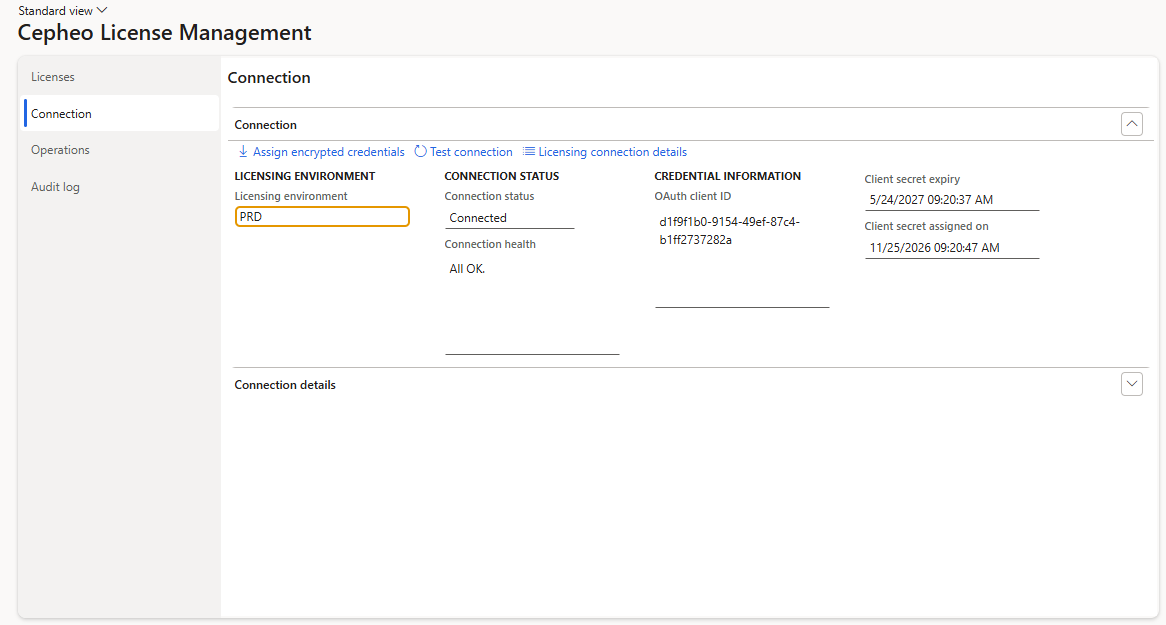
Open Cepheo License Management > Connection. The assigned profile and credential details are read-only.
Check access
- Connection health summarizes saved credential, profile and expiry information; All OK is not a continuous availability test.
- Test connection requests a fresh Entra token and verifies license access. It updates the result, but neither replaces credentials nor imports licenses.
- Licensing connection details shows the assigned endpoints, scope and lifetime without revealing the secret.
Renew before expiry
- Start a new Assign encrypted credentials request.
- In the portal, select the matching existing registration and Rotate secret.
- Import, verify and Finish using the activation procedure. Keep old portal secrets until the replacement works; retire them through the approved process.
Warnings begin within 30 days. Current issuance is capped at 180 days, possibly less. Automatic access-token acquisition does not renew the client secret. Wizard deadlines use UTC; standard FO date fields may follow user display settings.
Switch DEV, UAT or PROD
Obtain a bundle from the intended platform deployment. The verified bundle selects the whole profile; do not edit URLs/scopes or copy secrets. An FO hostname containing DEV does not prevent an approved PROD connection. The old assignment remains until Finish.
Problems? See Troubleshooting.
