Product Information and Versions
 Updated
by Dawid Kaczmarek
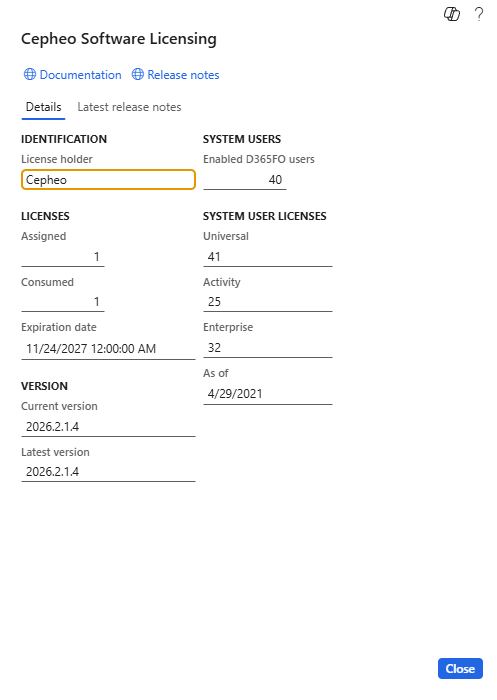
On Licenses, select a product and choose Product information, or follow its product-name link. The dialog is read-only and shows the selected product.
What to check
- Identification and licenses: holder, Assigned, Consumed and expiration date.
- Versions: installed/current version versus the latest catalog version. A newer version is an update indication, not an automatic installation.
- Product content: description, logo and Latest release notes, where provided.
- Documentation / Release notes: open the configured product links. Disabled links mean no usable resource is configured, not that the product is unlicensed.
Understand system counts
Enabled D365FO users is the environment's current enabled-user count. Universal, Activity and Enterprise are FO's latest calculated user-license snapshots.
Opening this dialog does not recalculate those snapshots. Check As of; Not calculated is not zero. These Microsoft licensing figures do not replace the Cepheo product's Assigned/Consumed values or establish licensing compliance.
Back to License Management.
