Packaging compliance

Supplier classification, purchase-order warnings, evidence, and governance
Purpose and scope
This guide explains the supplier packaging-compliance controls in the current module. The feature is an internal classification and warning mechanism. It does not validate certificates, monitor expiry dates, route approvals, or block purchasing.
Initial document setup
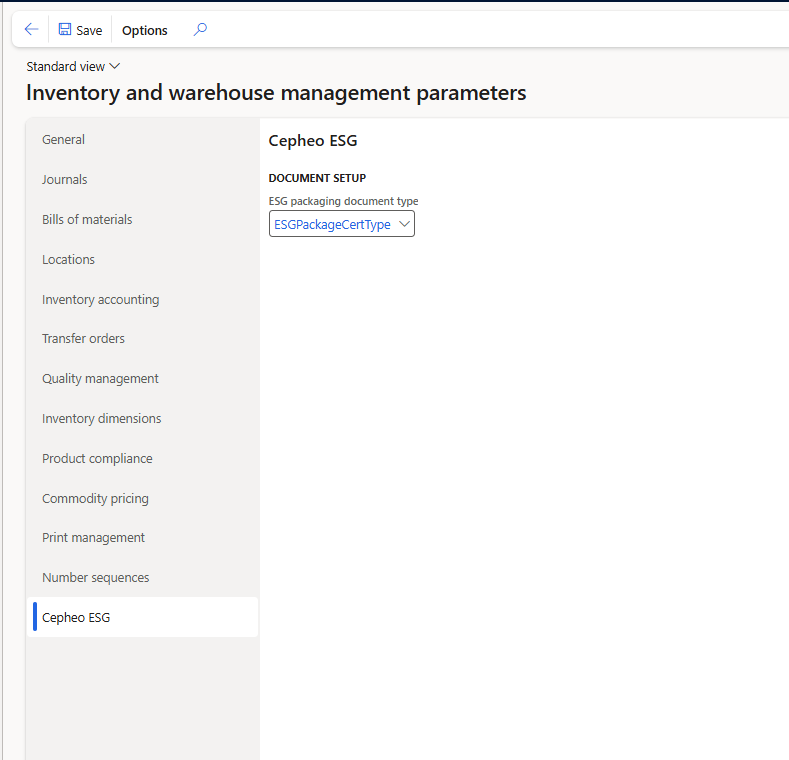
- Go to Inventory management > Setup > Inventory and warehouse management parameters.
- Open the Cepheo ESG tab.
- Under Document setup, select the ESG packaging document type.
- Save the page.
Document management: Use a document type intended for packaging evidence, certificates, specifications, or supplier declarations. The organization decides where evidence is attached, retained, and reviewed. |
Classify a supplier
- Open Procurement and sourcing > Vendors > All vendors.
- Select the vendor.
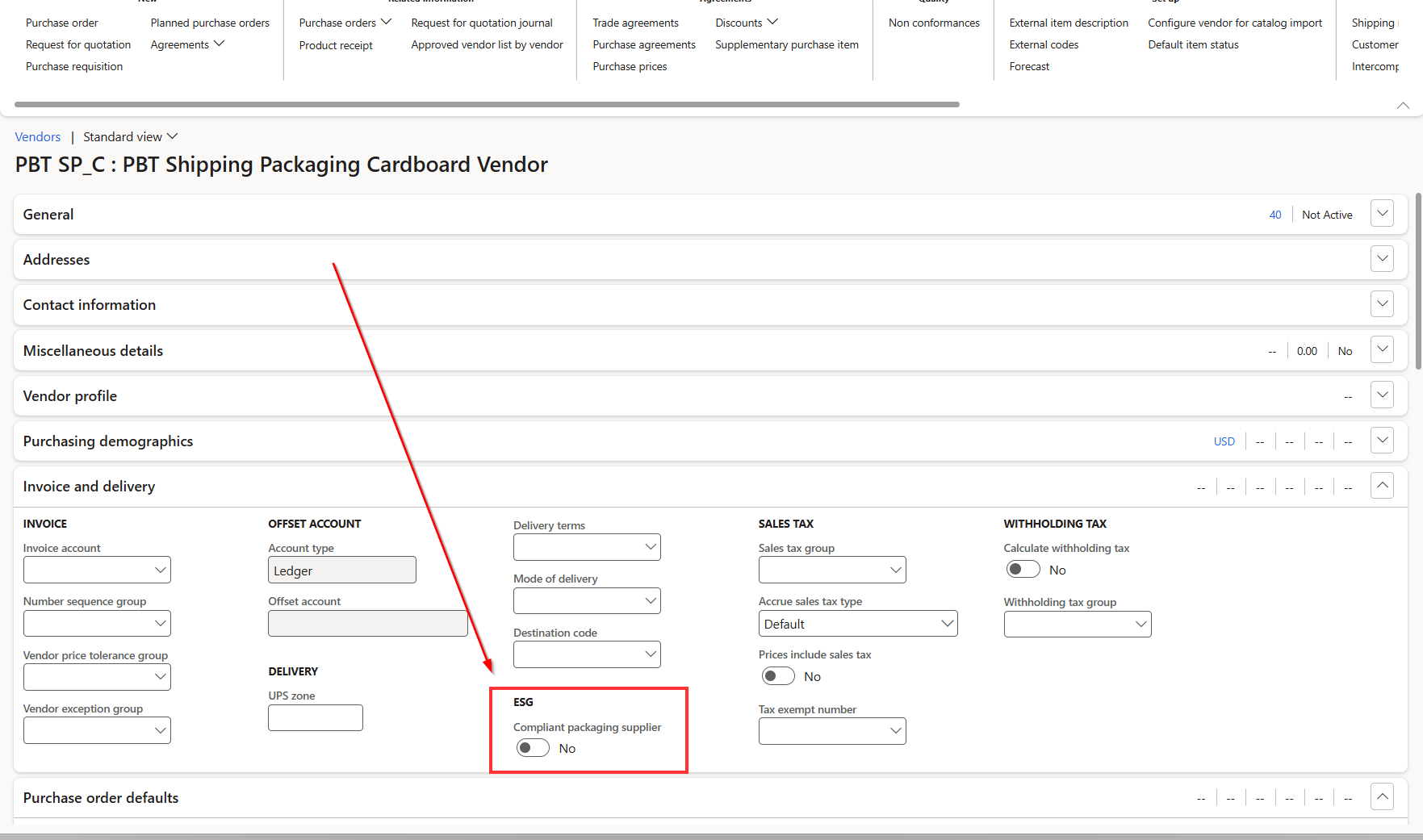
- Locate the ESG segment under ‘invoice and delivery’.
- Review the required evidence according to the internal procedure.
- Set Compliant packaging supplier to Yes only after the requirements are met.
- Save the vendor.
Possible evidence | Example purpose |
Packaging specification or material declaration | Documents package composition and quantities. |
Recycled-content statement | Supports internal sustainability assessment. |
Restricted-substance declaration | Supports material restrictions review. |
Reuse or take-back agreement | Documents return or recovery arrangements. |
Certificate or internal assessment | Records basis for classification. |
Review date and responsible person | Supports governance and periodic follow-up. |
Example from the Danish official website, where a company needs to be registered to place packaging on the Danish market. 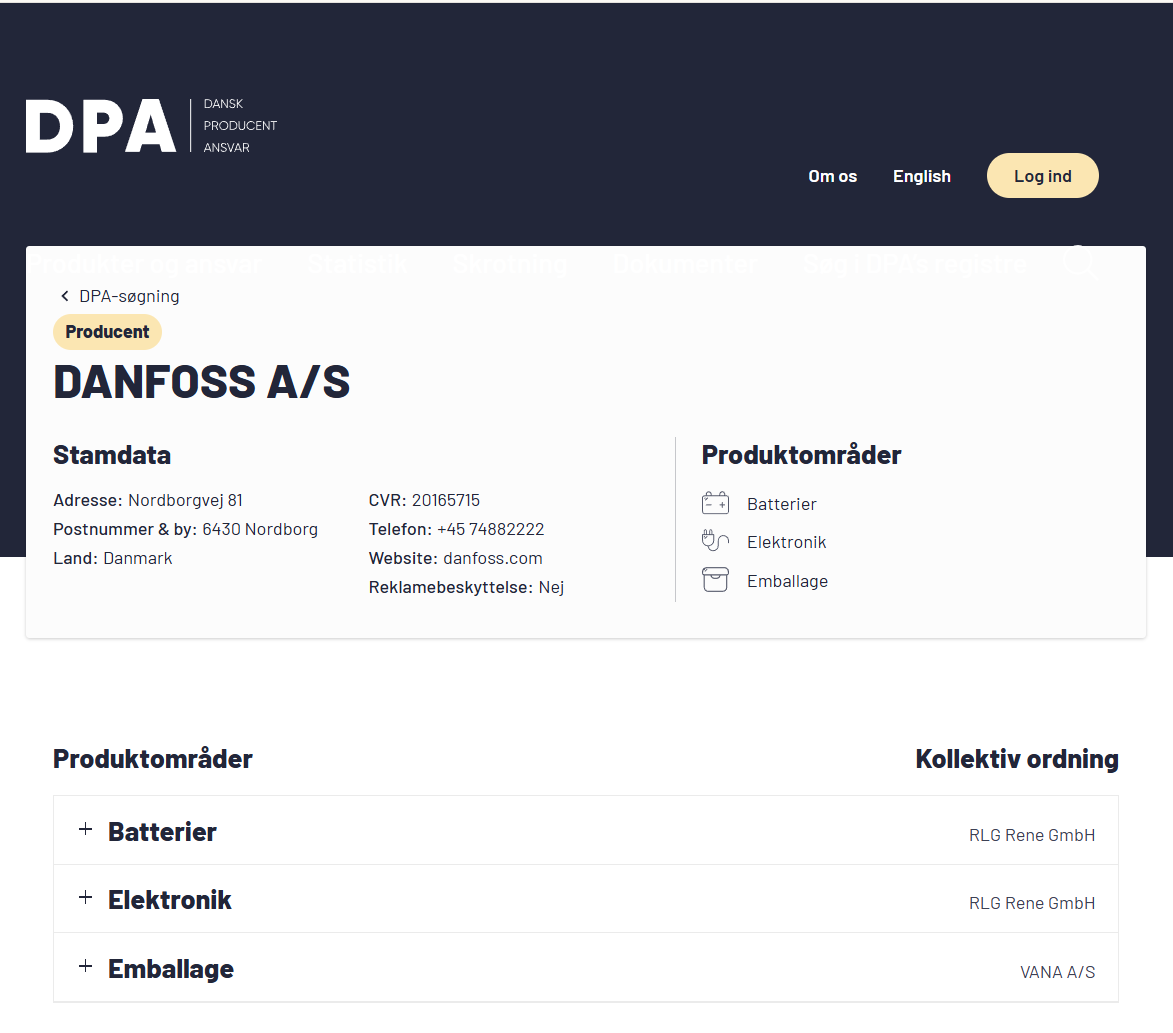 |
Purchase-order behavior
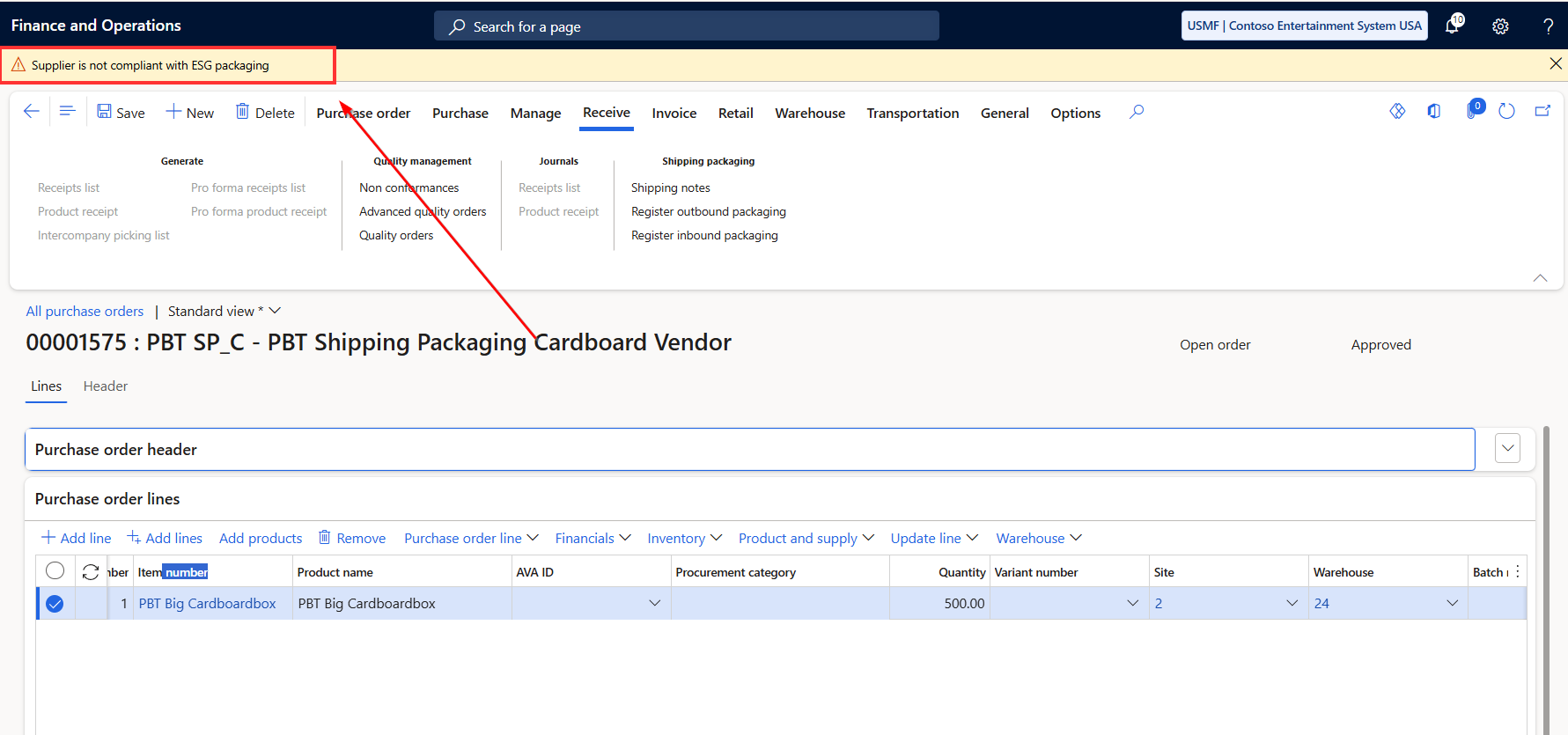
Purchase orders include the Non-compliant packaging supplier indicator. When a purchase line is created or its item changes, the system reevaluates the order based on the vendor classification.
Indicator | Meaning |
No | The vendor is marked as a compliant packaging supplier. |
Yes | The vendor is not marked compliant under the current rule. |
Warning only: The message Supplier is not compliant with ESG packaging is a warning. It does not block confirmation, receipt, or posting, and no approval workflow is included. |
 |
 |
Buyer response to a warning
- Confirm that the correct vendor is selected.
- Review the vendor classification and supporting evidence.
- Contact the compliance or vendor master-data owner if the classification is incorrect.
- Follow the approved exception process if the purchase must proceed.
- Do not ignore or override the warning without evidence and authorization.
Governance procedure
Before go-live, define and document:
- Who may mark a vendor compliant.
- Which evidence is mandatory.
- Where documents and review dates are stored.
- How often classifications are reviewed.
- How a supplier is returned to non-compliant status.
- How exceptions are approved and recorded.
- How existing vendors are classified before the warning is relied upon.
Current-rule caution: Vendors not explicitly marked compliant are treated as non-compliant in normal purchase-order processing, including domestic and EU vendors. |
Worked example: unreviewed supplier
- Create a purchase order for vendor V-1040, which is not marked compliant.
- Add a purchase line.
- Observe the warning and Non-compliant packaging supplier = Yes.
- Pause and request evidence review from the compliance owner.
- If the evidence is accepted, update the vendor classification through the controlled master-data process.
- Reassess the purchase order according to the organization procedure.
Audit checklist
- Sample vendors marked compliant and verify evidence.
- Verify that review dates and responsible owners are recorded.
- Review purchase orders carrying the non-compliant indicator.
- Confirm exceptions were authorized.
- Check that withdrawn or expired evidence leads to reclassification according to policy.
