Reporting and Inquiry Options

Reporting and inquiry options
Operational review, traceability, filtering, and export
Scope
The current release provides operational inquiries and source data for packaging traceability. It does not provide statutory ESG reports, emissions calculations, dashboards, KPIs, or dedicated batch reports.
Available reporting and inquiry options
Option | Purpose | Typical user |
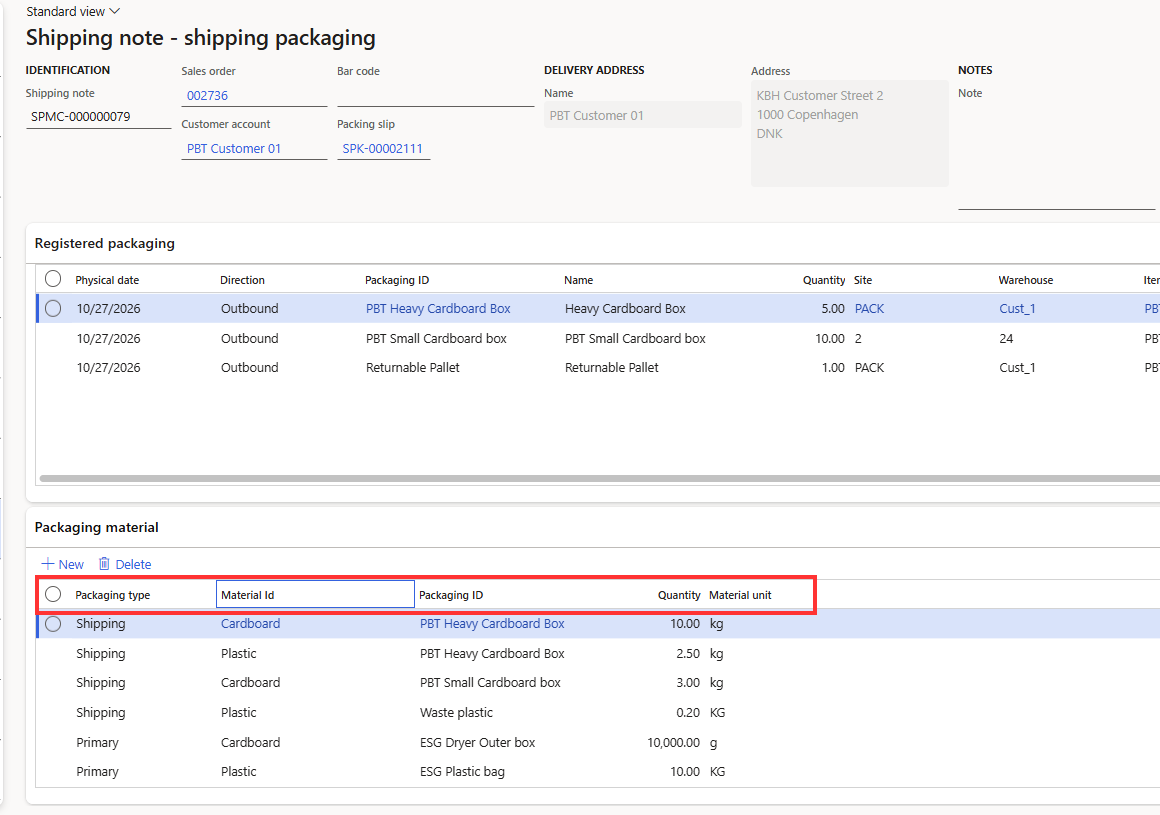
Shipping note, Packaging material | Review Shipping and Primary material lines for a shipment. | Shipping, compliance |
Package material composition | Review materials and constituent quantities for a package definition. | Master data, auditor |
Used package log | Review package usage linked to inventory transactions and target warehouses. | Auditor, analyst |
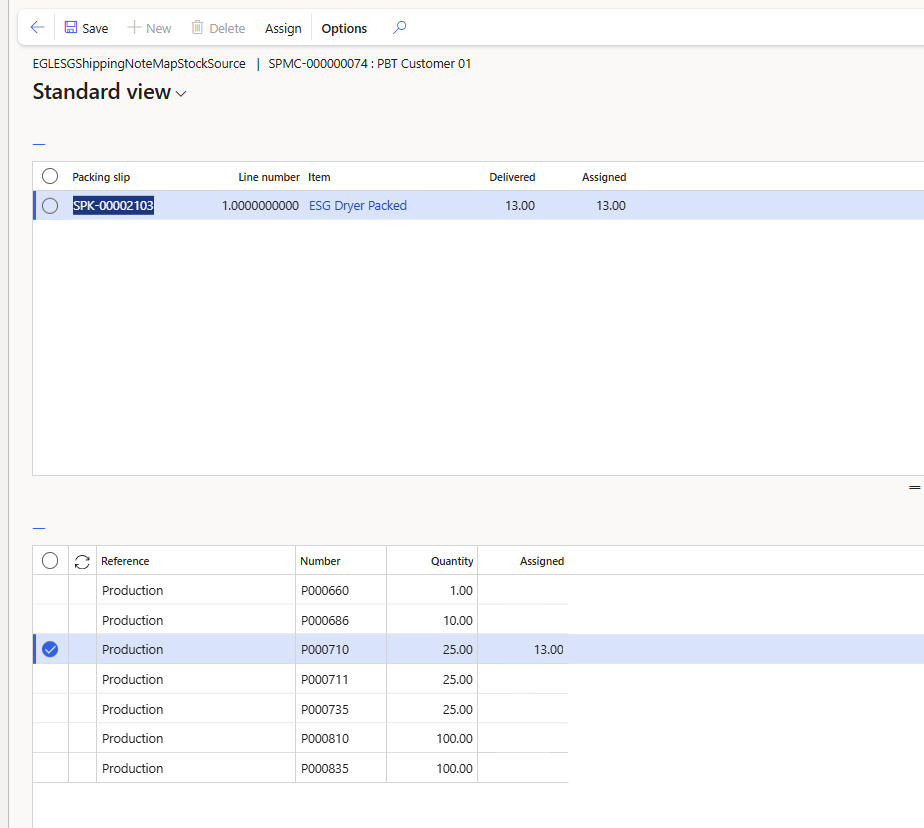
Outbound mapping | Map packing-slip quantities to source inventory transactions. | Shipping, traceability |
Standard D365 filtering/export | Filter and export visible inquiry data where permissions allow. | Analyst |
Shipping Packaging Management quantities | Operational calculation and overview of package quantities where that solution is configured. | Warehouse, planning |
Shipping note material review
- Open the relevant shipping note.
- Select the Packaging material tab.
- Filter or sort by Packaging type, Material ID, or Packaging ID.
- Compare Shipping lines with registered shipping packages.
- Compare Primary lines with the item primary-package rule and packing-slip quantity.
- Investigate missing or duplicate-looking lines at the source setup.
 |
Outbound mapping for source traceability
Since traceability is becoming increasingly important in any production, sale or shipment, we have introduced this option to assign productions to specific shipping notes.
1. Open a sales shipping note.
2. Select Outbound mapping.
3. Select a customer packing-slip line.
4. Review available source rows, such as production or purchase references.
5. Enter Assigned quantity against one or more source rows.
6. Select Assign.
7. Confirm that assignments do not exceed the source availability or packing-slip quantity.
Split sourcing: A packing-slip line can be split across multiple source transactions. The total assigned quantity cannot exceed the packing-slip line quantity. |
 |
Suggested monthly control report
The following is a business procedure using available inquiries, not a dedicated system report:
2. Export or review shipping-note Packaging material lines for selected shipments.
3. Sample package definitions and verify their Material composition.
4. Reconcile package quantities to the related operational transactions.
5. Record exceptions, owner, and correction date outside the module according to the organization policy.
