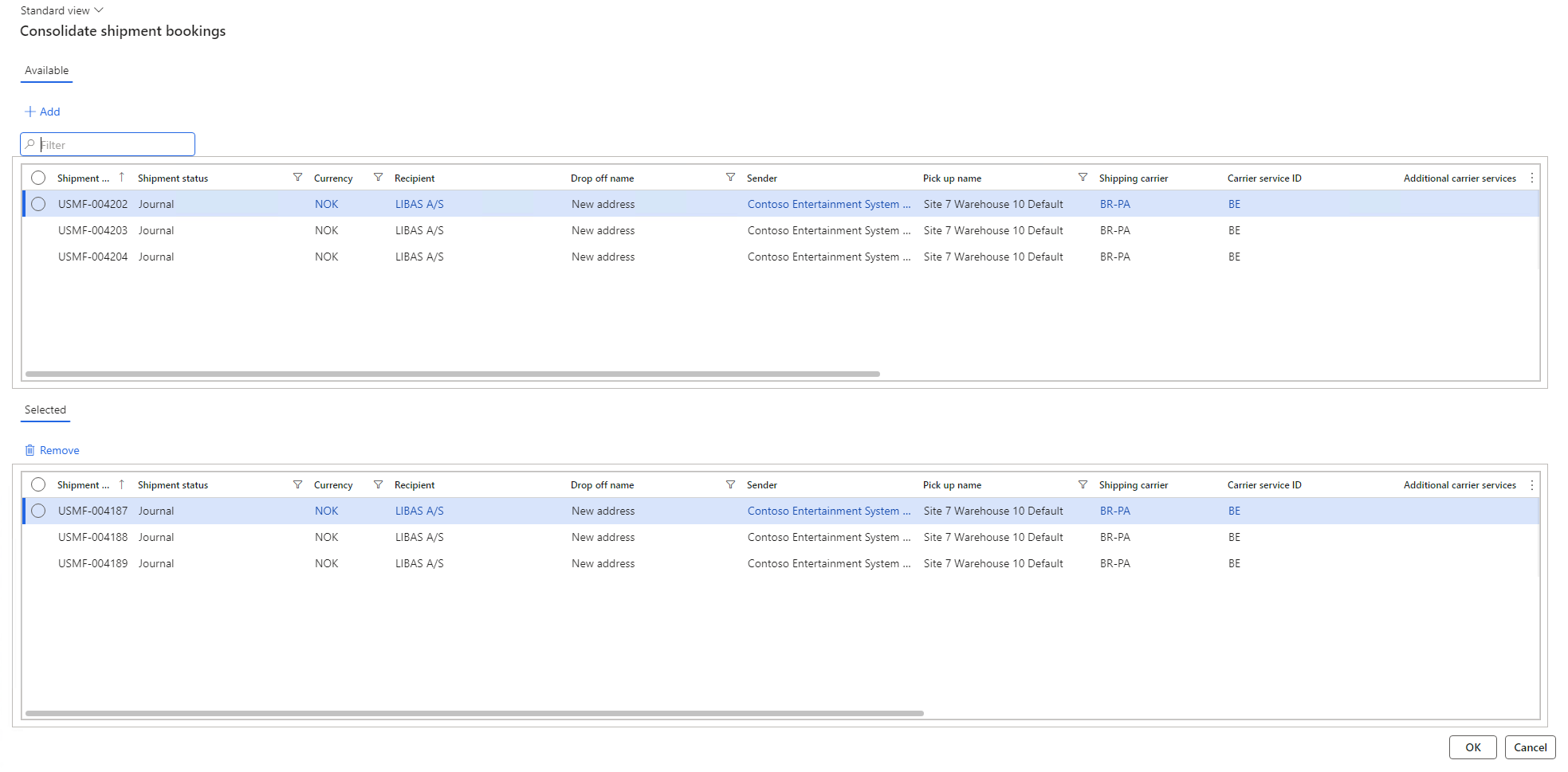
Consolidate shipment bookings from Create Shipment booking dialog

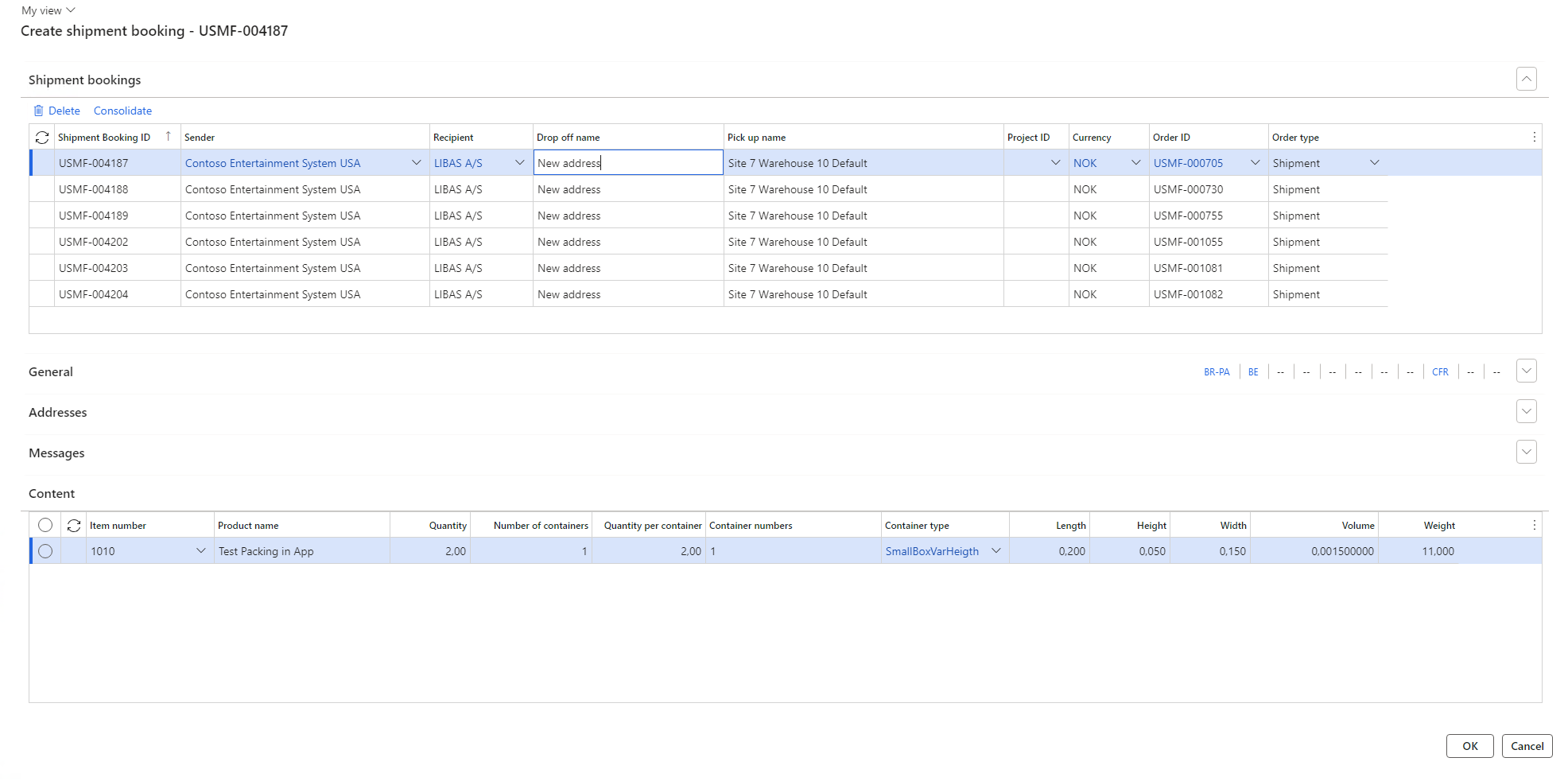
When creating Shipment bookings from a Load, a Sales order or Item requirements can create more than one Shipment booking.
All possible Shipment bookings will be shown in the Create shipment booking dialog.
Consolidate shipment bookings
- Find and select the Shipment booking which is to be the target shipment booking for the consolidation
- Click on Consolidate.
- In the Consolidate shipment bookings dialog click +Add to select Shipment bookings to be consolidated. NOTE: The target shipment booking cannot be removed.
- Click OK to consolidate the selected Shipment bookings.