Device Parameters
Device is used in Cepheo® Installation to control how delivered items are produced and to keep track of production of each produced item to automatically from picking list tracking which serial numbers used to produce a specific item. Devices are connected to Locations and Installations and gives a unique possibility to track Devices delivered, where and when directly form the Customer. A Device can be created from Production, Sales order line and Item Requirement from Project. A released item is connected to a "Device type" which defines how and when the Device is created.
To setup Device Parameters go to:
Cepheo® > Location > Setup > Device type
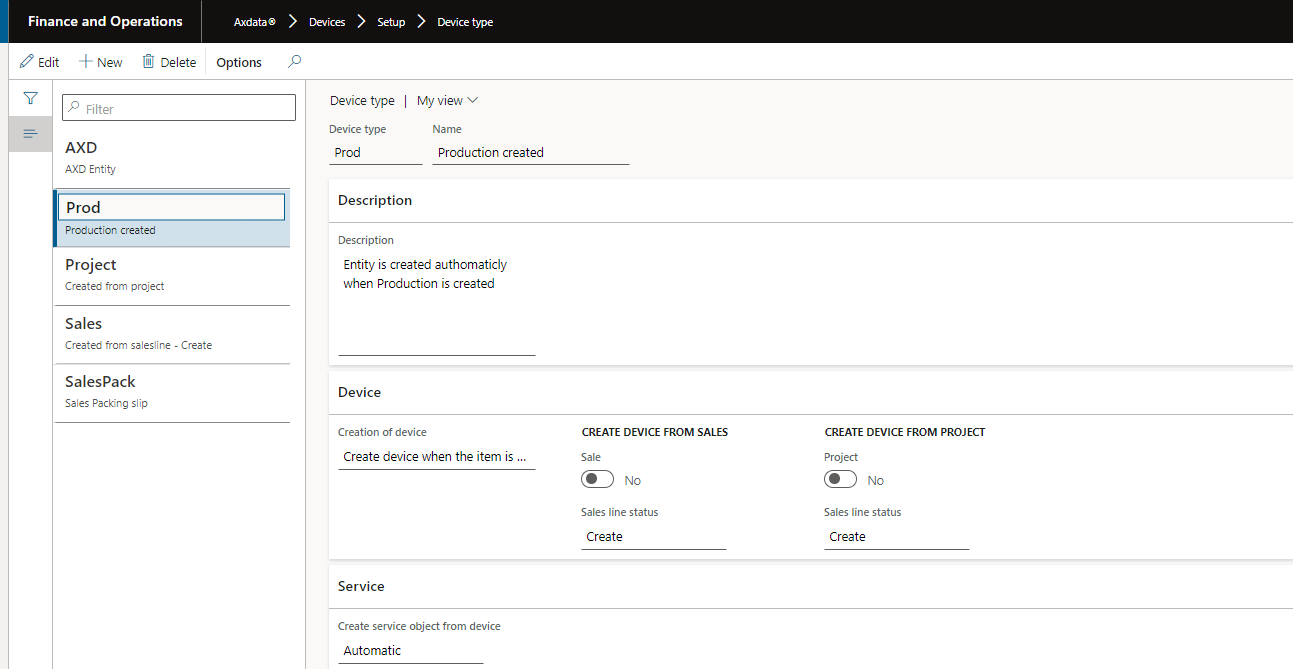
Filed | Description |
Device type | Give the device type and ID |
Name | Give the device type a name |
Description | GIve a short description of the device type |
Creation of device | Select on of:
|
Created device from sales | If Creation when item is sold, select "Yes" to crate from sales line. Select Line status:
|
Create device from project | If Creation when item is sold, select "Yes" to crate from Item Requirement and Project. Select Line status:
|
Create Service object from device | If Service Management is used it is necessary to crate Service objects to create service tracking for a Device. Select how Service objects shall be created.
|
